Lifestyle Product Photography: Scenes, Props and Light
Lifestyle product photography shows your product where it gets used. See one bottle in four scenes, why one works, and how to pick scene, props and light.
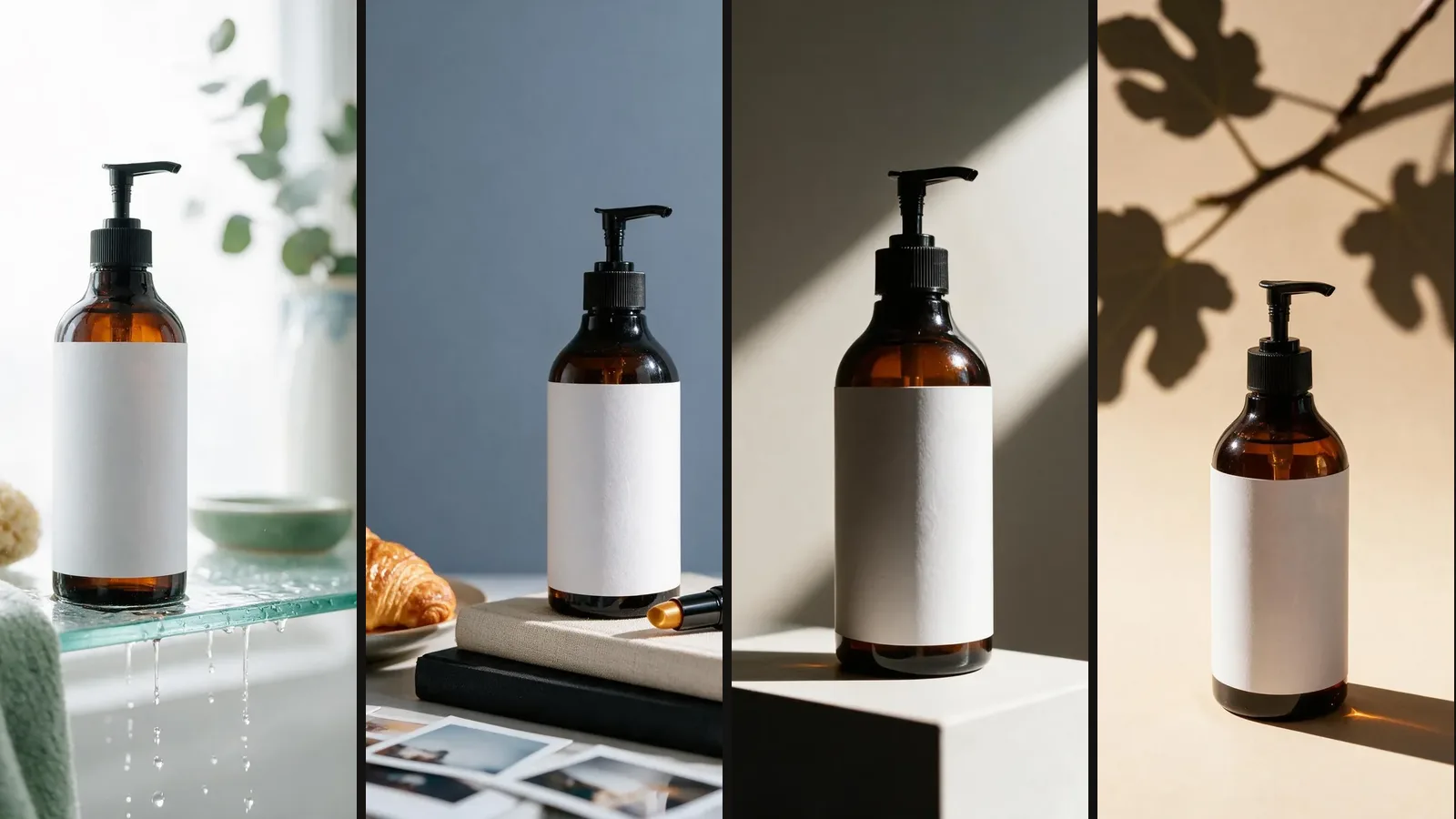
Lifestyle product photography shows your product in the place where people use it. Think of a hand wash on a bathroom shelf, not floating on plain white. Below, the same bottle goes into four scenes. You'll see why one works and one confuses, which scene fits your category, and how to make these photos without hiring a photographer.
What is lifestyle product photography, and where does it go in a listing?
A lifestyle photo answers the question a spec sheet can't: what is this like in my home? A white-background photo answers a different one: what exactly am I buying? A good listing needs both, in different slots.
On Amazon, the main image must sit on pure white (RGB 255, 255, 255). Only a few categories allow a lifestyle photo in the main slot. Amazon recommends at least six more images and one video beyond the main image, and that gallery is where lifestyle photos belong. We checked these rules in Amazon's product image guide on October 5, 2026. Our Amazon image requirements guide walks through the rest.
| White-background photo | Lifestyle photo | |
|---|---|---|
| Job | Shows exactly what arrives in the box | Shows where it goes and how it's used |
| Listing slot | Main image, plus a few gallery slots | Gallery images |
| What the buyer checks | Shape, colour, label, what's included | Size, setting, "does this fit my life?" |
| Background | Pure white, nothing else in frame | A real room or place, a few props |
Which scene fits your product?
Pick the room where your buyer will keep the product, at the time of day they use it. That one rule decides most scenes. To show what it looks like when you get it right and wrong, we put one amber pump bottle into four ShelfPic scene templates.
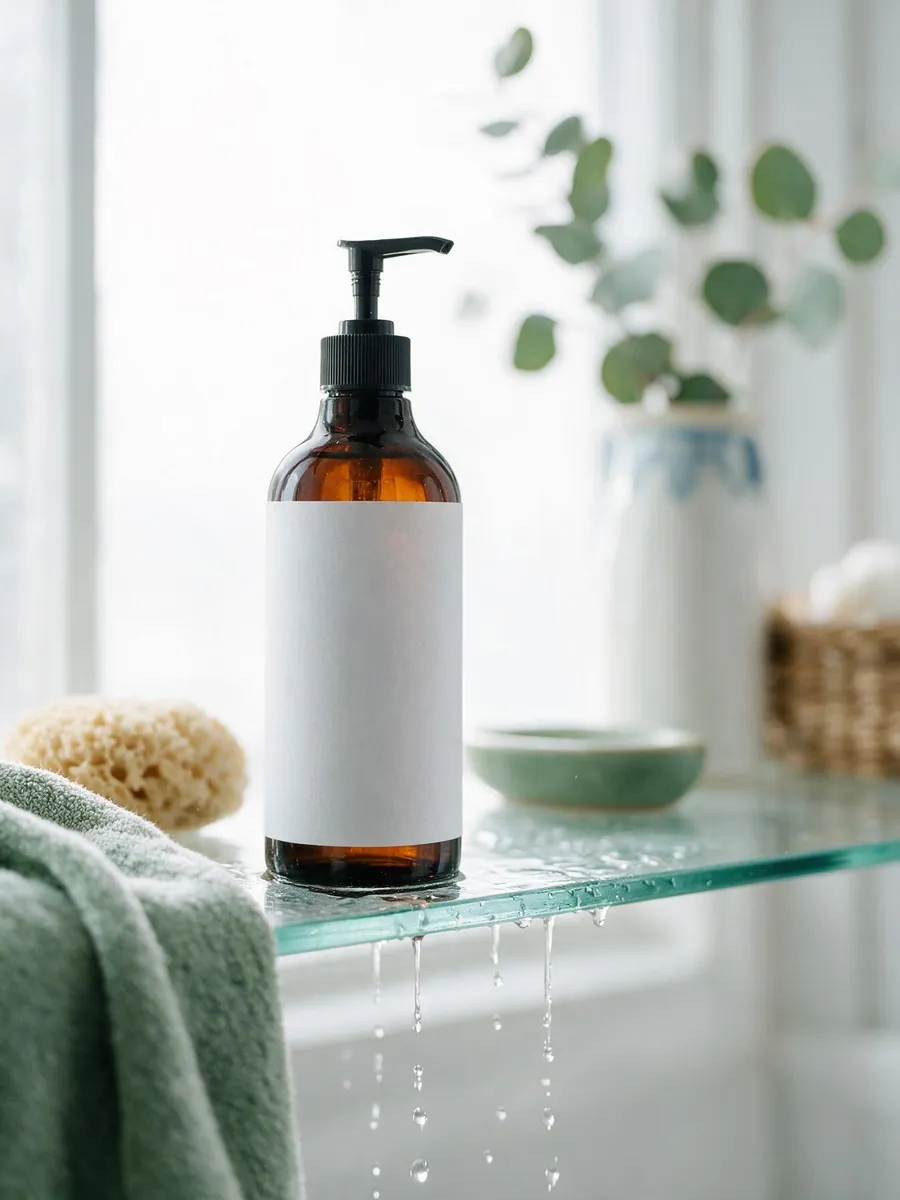 Works
Works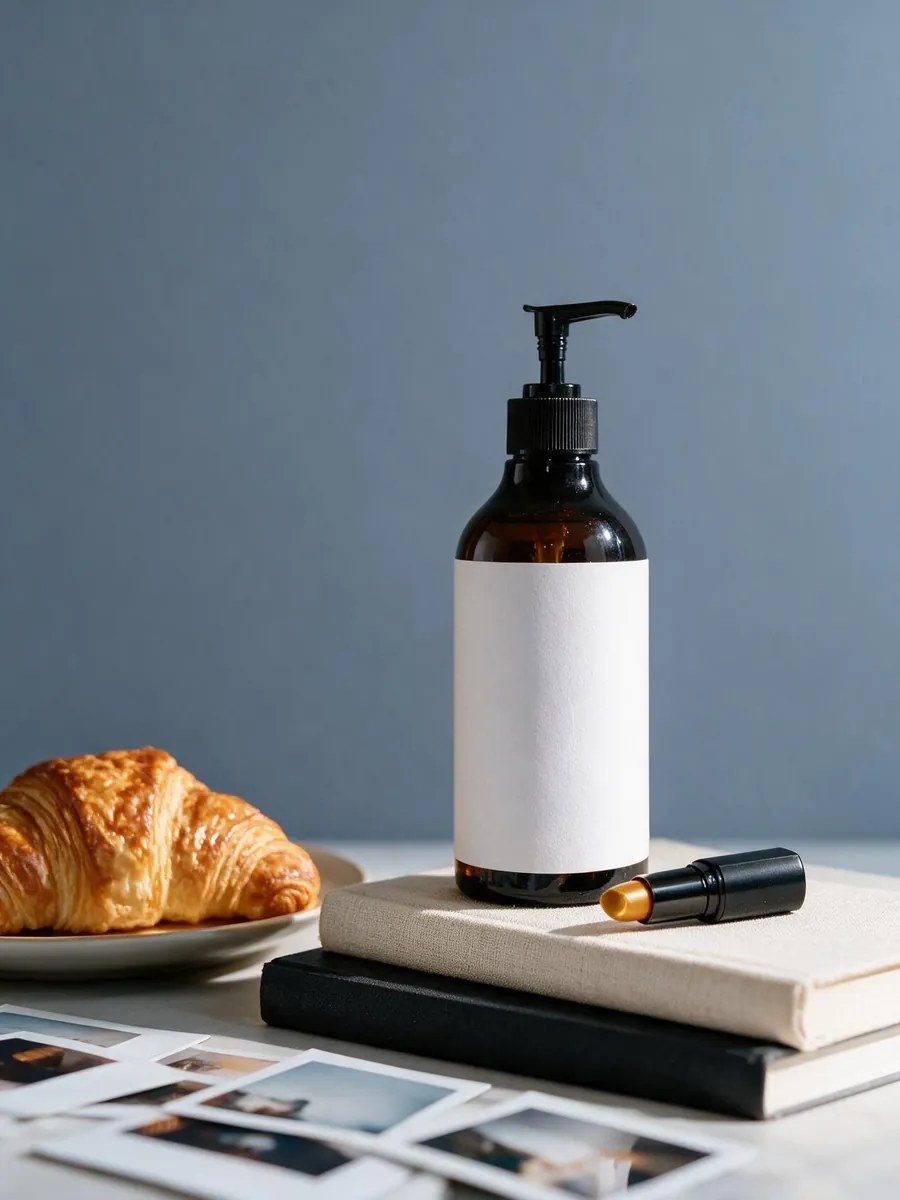 Confuses
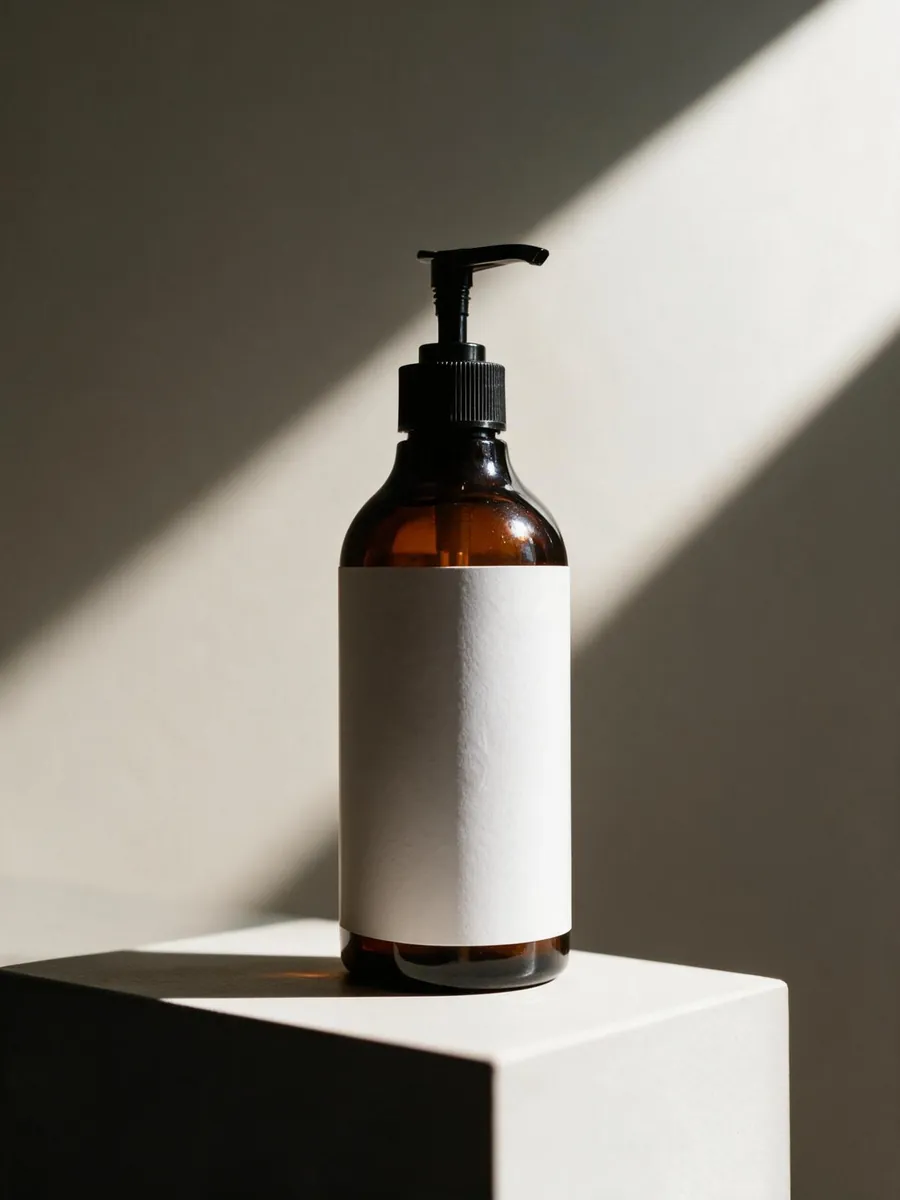 No story
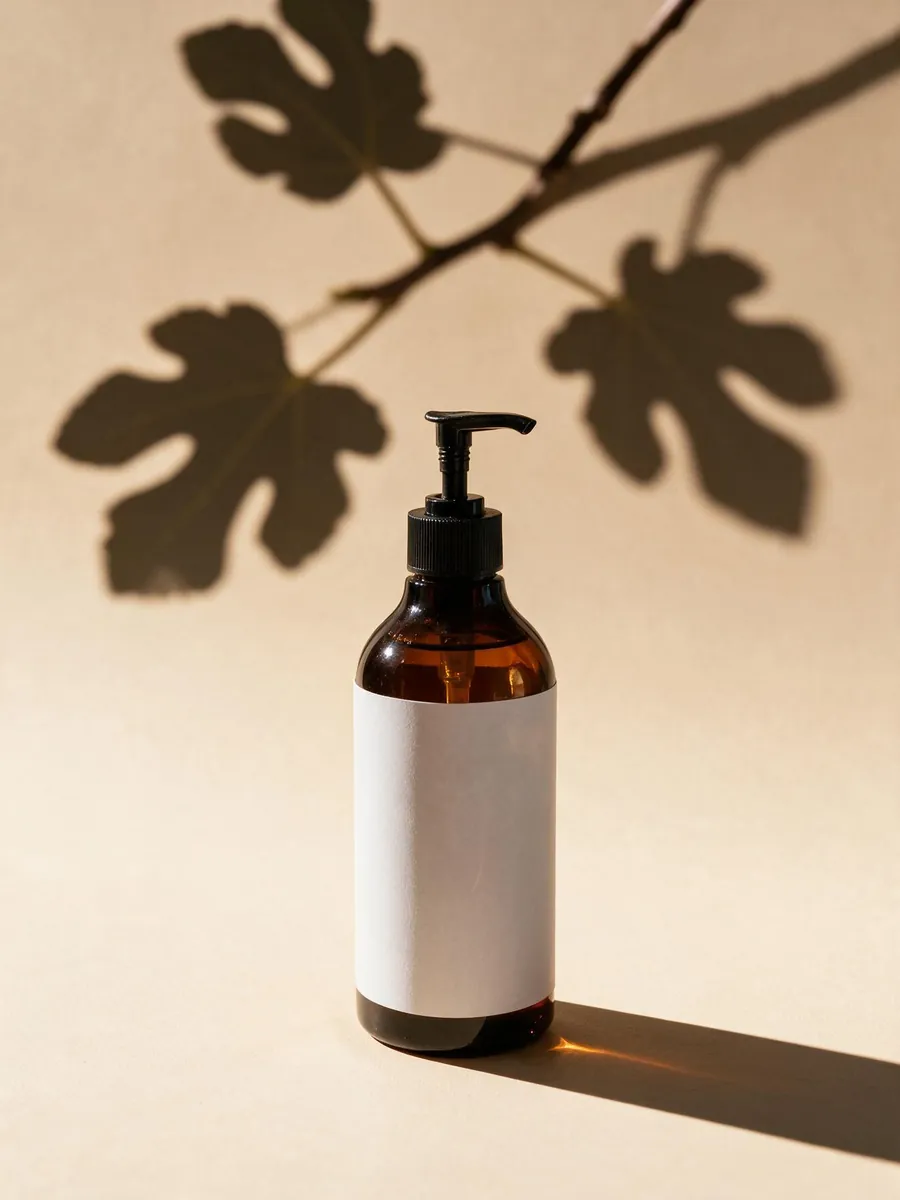 Mood only
Here is what each scene tells a buyer:
- Bathroom shelf. A towel, a sponge and wet glass say "hand wash or body wash" before anyone reads the title. This is the one to use.
- Breakfast table. The croissant makes the bottle look like syrup or oil. The lipstick and photos add two more stories. A buyer has to stop and work out what the product is.
- White plinth. It looks clean, but it's a studio shot, not a lifestyle shot. It says nothing about where the bottle goes.
- Leaf shadow. It sets a calm mood. It also hides the answer to "where would I use this?"
A scene isn't good or bad on its own. The same breakfast table works well for a different product.
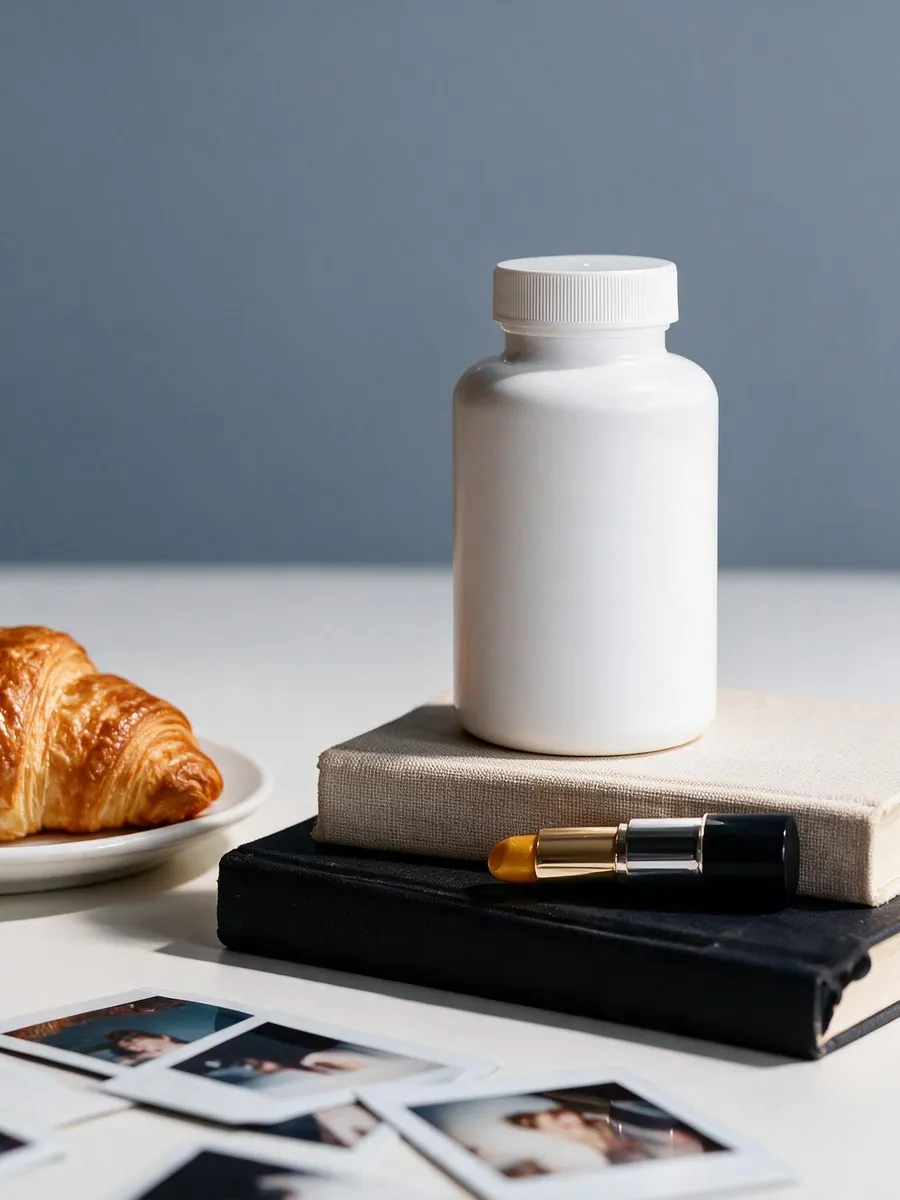 FitsDoesn't fit
Which scene, props and light suit your category?
Use this table as a starting point, then check it against where your own buyers live. The "avoid" column matters as much as the scene.
| Category | Scene that fits | Props that belong | Light | Avoid |
|---|---|---|---|---|
| Skincare and bath | Bathroom shelf or vanity by a window | Folded towel, sponge, one small plant | Soft window light, morning | Food, drinks, makeup you don't sell |
| Kitchen tools and appliances | Counter near a window, mid-use | Cutting board, the one ingredient it handles | Morning sun from the side | An empty showroom counter, five other gadgets |
| Supplements | Breakfast table or kitchen counter | Glass of water, a mug | Morning daylight | Loose pills, anything that hints at a health claim |
| Candles and home decor | Side table, bookshelf, living room | A book, a throw, a small dish | Warm lamp light, evening | Bright midday sun, which kills the flame |
| Drinkware | Desk, car cup holder, picnic blanket | Condensation, crumbs, a laptop edge | Daylight from a nearby window | A spotless table that looks staged |
| Apparel and accessories | On the body, or a flat lay with the outfit it pairs with | Two or three pieces it goes with | Hard sun outdoors, or a big window | Pieces a buyer might think are included |
| Electronics and tools | Desk or workbench, in use | The device it connects to, one tool | Cool daylight | Busy scenes, because the shape is the selling point |
For electronics and tools, keep at least one clean studio-style shot. When the shape is what people buy, a busy room gets in the way.
Do you need a flat lay, a scene or an in-hand shot?
These three shot types do different jobs. Most listings need the scene and the in-hand shot. Add a flat lay when you sell a set or a kit.
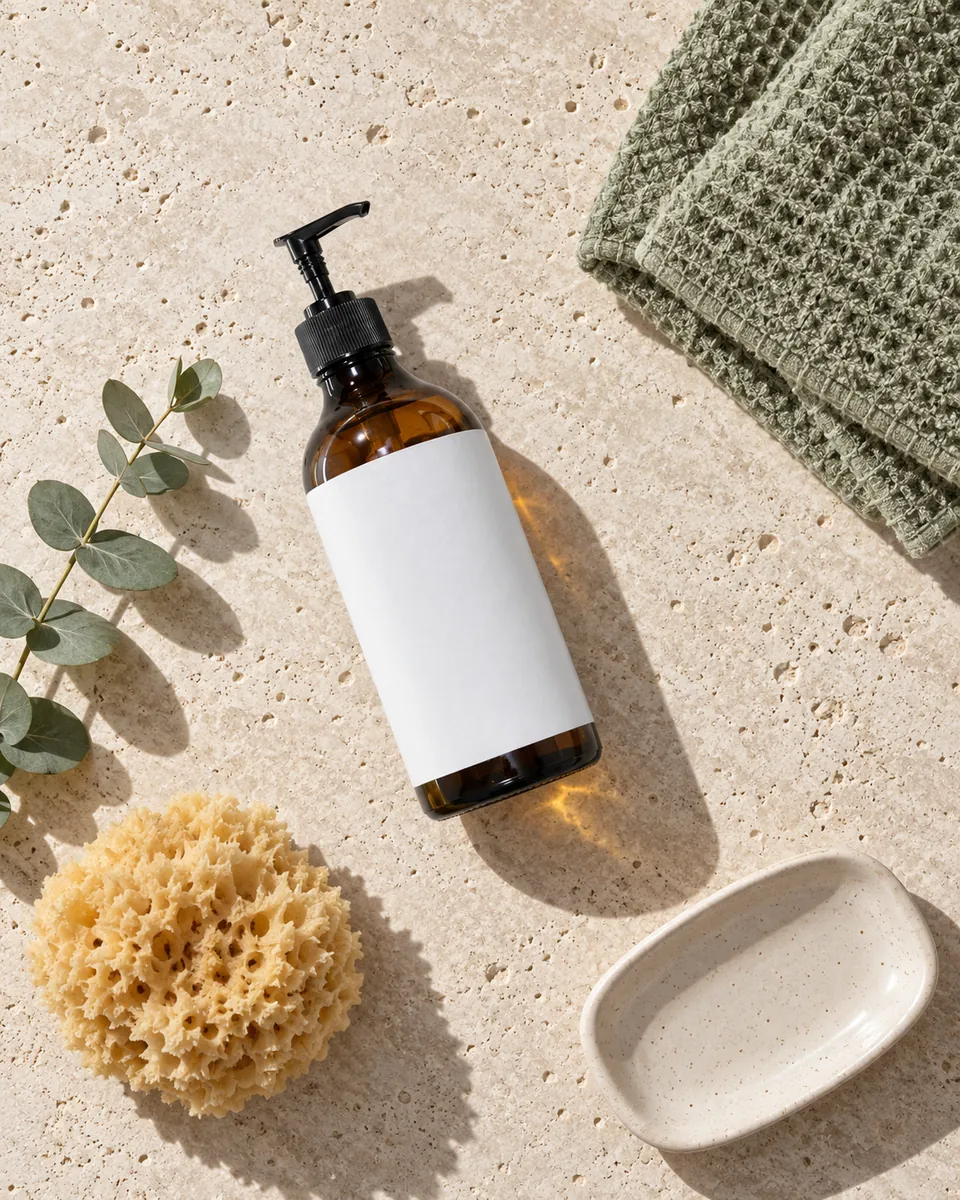 Flat layScene
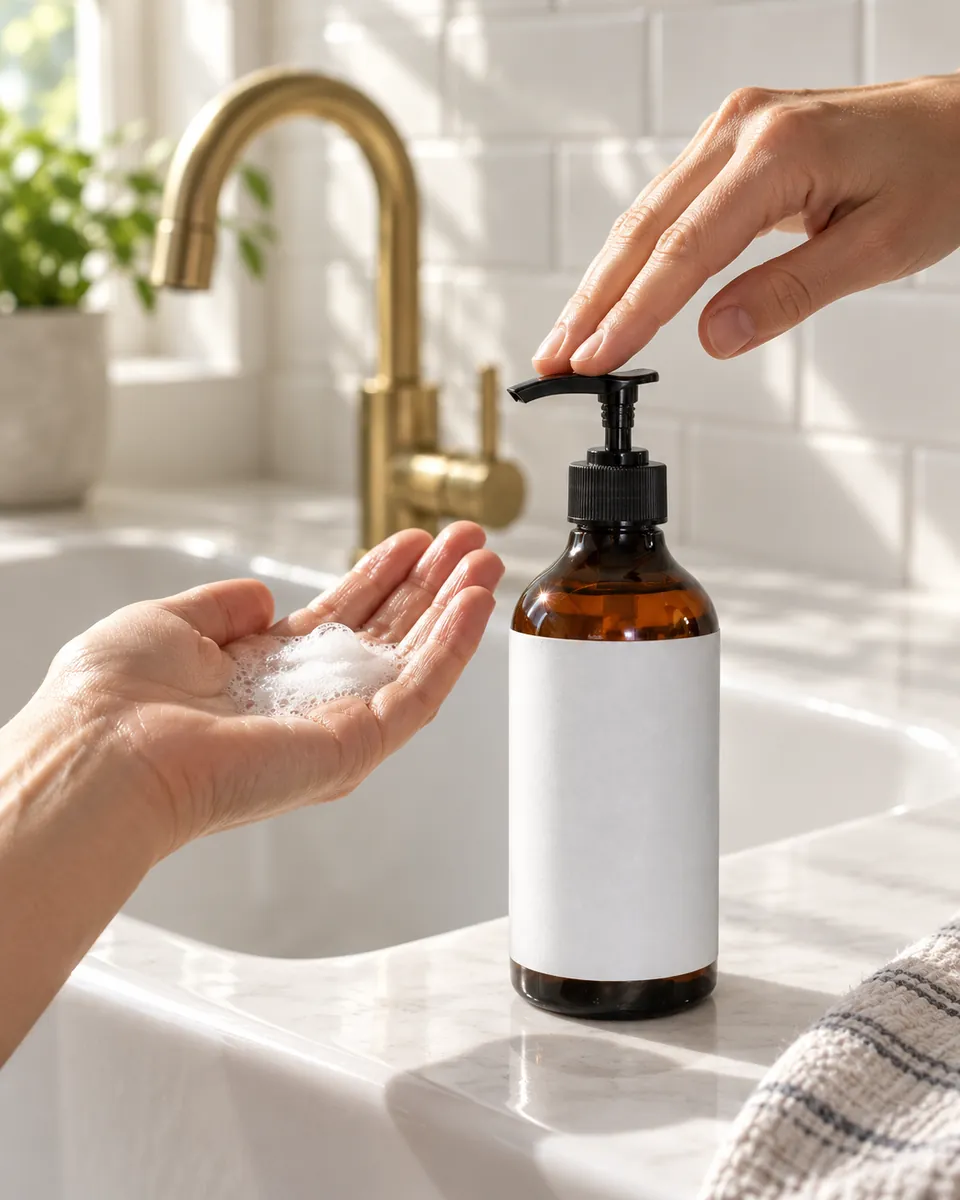 In hand
- Flat lay. Shoot straight down so every item is visible at once. It's the clearest way to show what comes in a kit.
- Scene. It shows where the product lives. Keep the product big, about 40 to 60 percent of the frame, so it doesn't turn into decor.
- In hand. A hand shows size better than any measurement. A buyer knows how big a palm is.
You don't need a model for most products. Hands are enough to show scale and use. Apparel is the exception, because fit is the question. If you use an AI-generated realistic person on Amazon, the image guide asks you to add the contains-synthetic-performer tag to the file's metadata.
How do you choose props that don't steal the sale?
Keep two or three props, and make each one pass a simple test: would it really be next to this product? A towel next to a hand wash passes. A croissant doesn't.
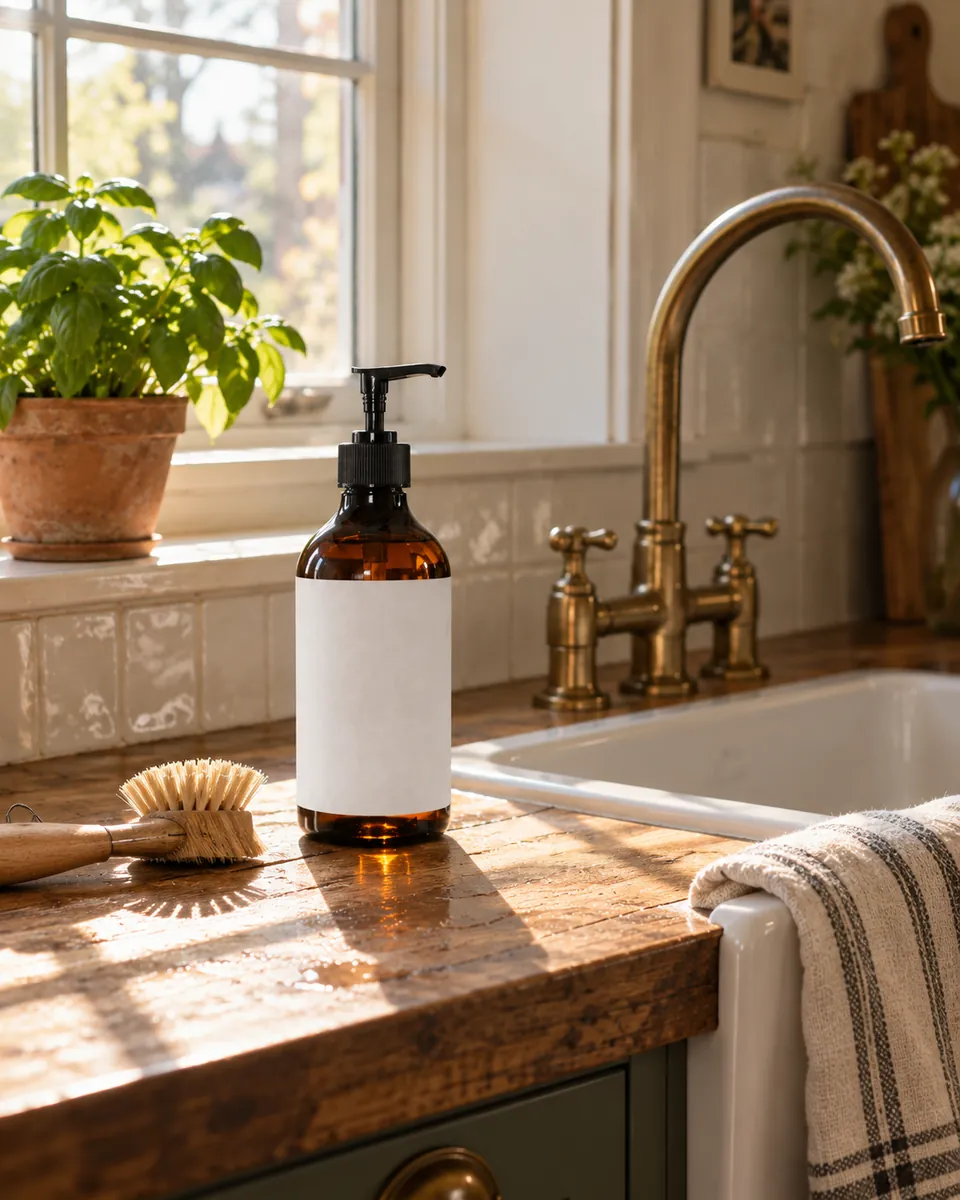 Three props
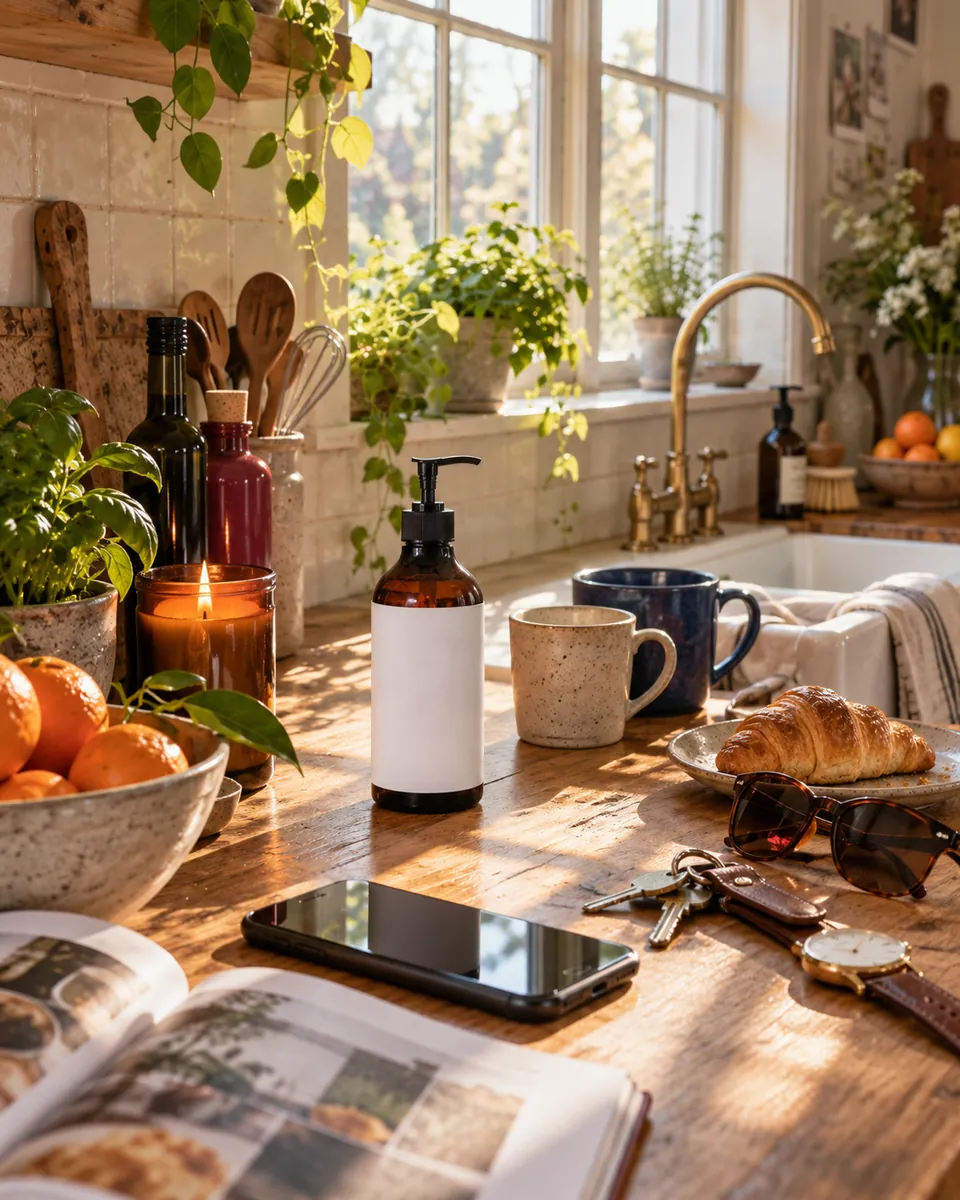 Cluttered
Three more rules worth following:
- Props make claims. Cherries next to a hand wash tell the buyer it smells of cherry. Lemons say citrus. Only show ingredients that are really in the product.
- Props can look included. If a towel sits in every photo, some buyers will expect a towel in the box. Use props that are clearly part of the room, not the package.
- Your product is the one bright colour. Pick props in muted tones, like linen, wood, stone or pale ceramic. A red mug next to your product pulls the eye away.
How should you light a lifestyle photo?
Give the light a visible reason. A window in the frame, or a lamp the buyer can see, makes the light believable. Light with no source looks like a render.
If you shoot at home, put the product on a table about one metre from a window. Turn it so the window is to one side, at roughly 45 degrees. Hold an A3 sheet of white foam board on the opposite side to lift the shadows. Turn off the ceiling lights, because warm bulbs mixed with daylight give the product a colour cast.
Match the light to the time of use. Bathroom and breakfast scenes want morning daylight. Candles and lamps want warm evening light. Our product photography lighting guide covers light direction in more detail.
How do you make lifestyle photos with AI?
Start with one clean, well-lit photo of your product, ideally the one you already use as your main image.
Upload it to the AI product photo generator and pick a scene. It has 150 scene templates in eight groups, such as Home, Outdoor and Food & Table. Use the category table above to choose. Each photo costs 30 credits, and new accounts get 100 free credits, enough for three scenes. Free-plan downloads carry a ShelfPic watermark, so use them to test scenes, not on a live listing.
Then check every result against the real product before you publish it. AI doesn't always keep the product intact. Here is one bottle where two of the scenes changed it.
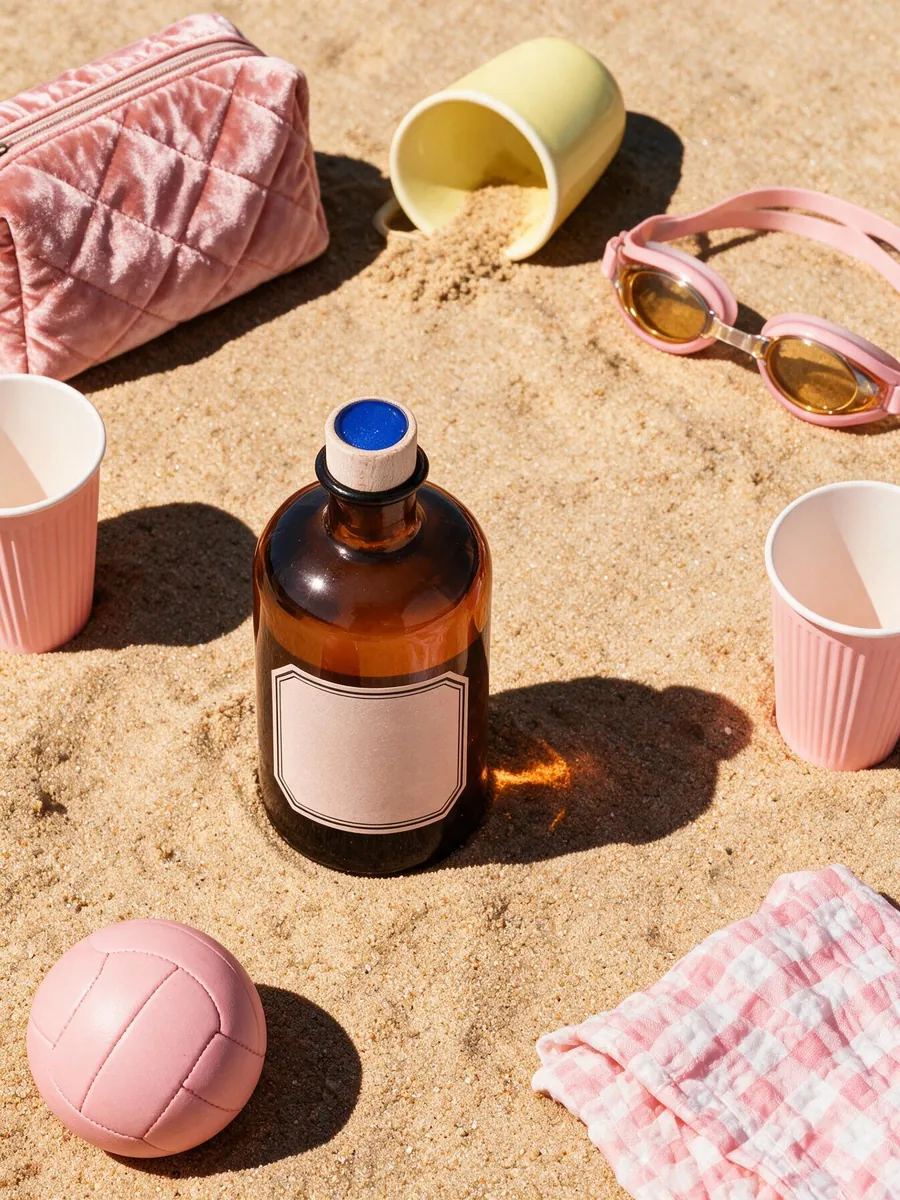 Cap changed
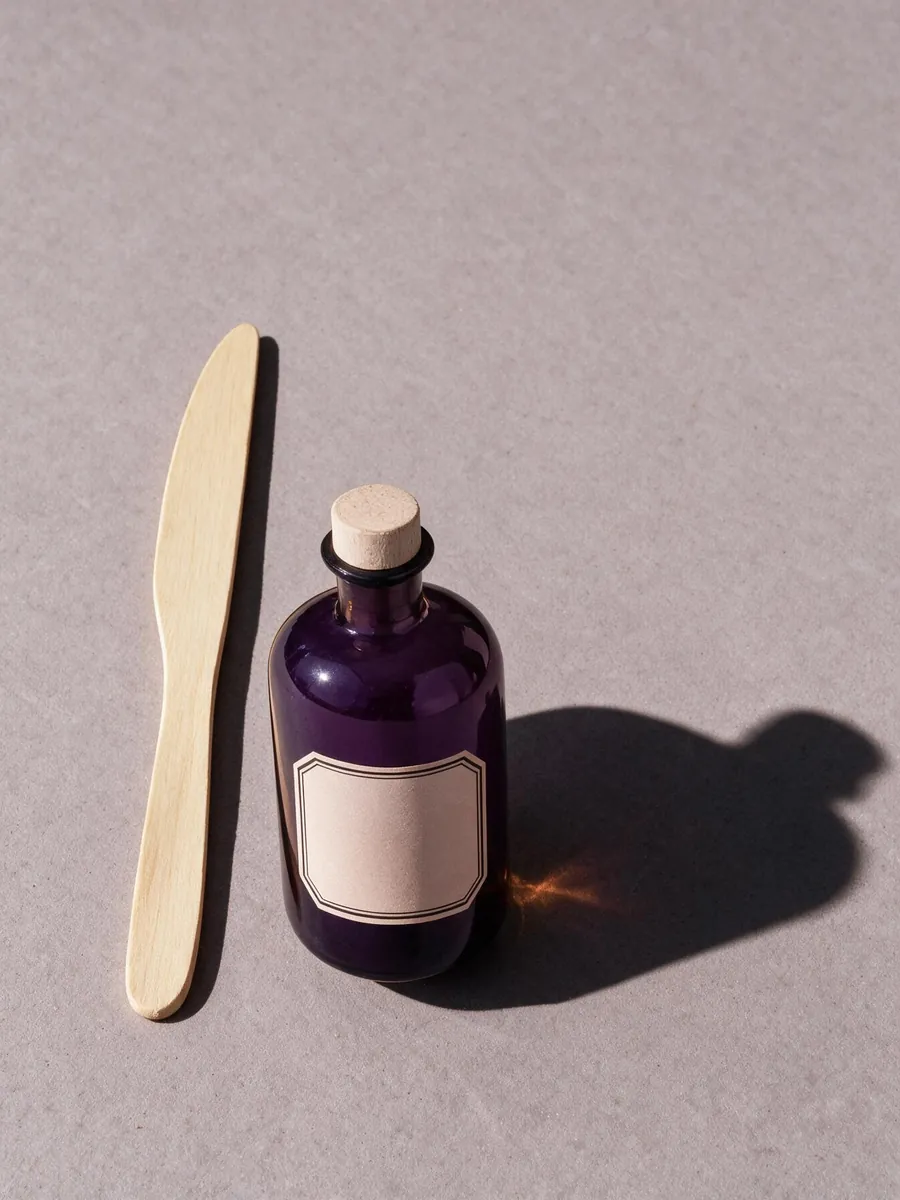 Glass changed
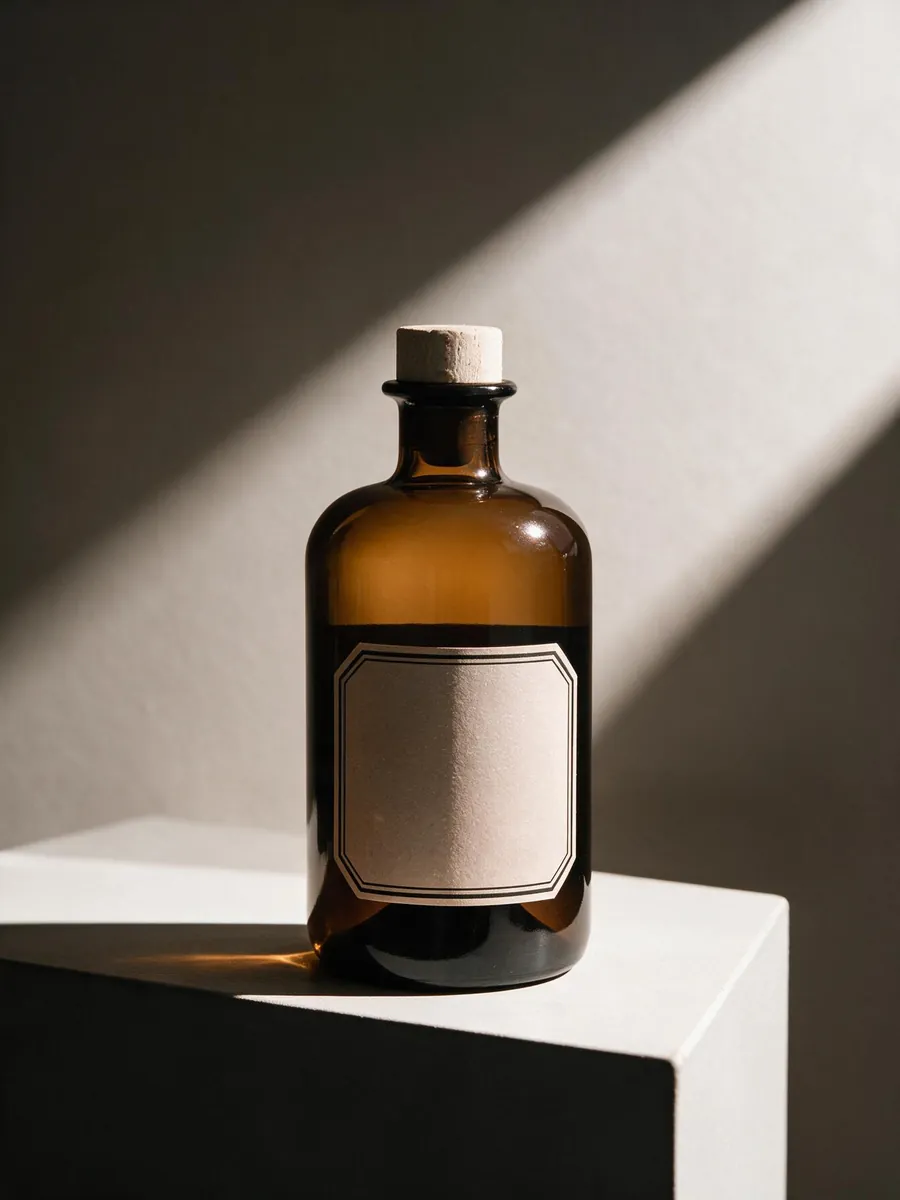 Kept intact
Check these four things on every image:
- Colour. Compare the glass, cap and pump with your photo. A buyer who gets a different colour may send it back.
- Label. Every word should match your real label. A blank label should stay blank.
- Shape and scale. Look at the product next to the props. A 500 ml bottle shouldn't look like a travel size next to a sponge.
- Extras. Make sure nothing appears that looks like part of the product, such as an extra cap or a second bottle.
When a result fails the check, make it again (another 30 credits) or pick a different scene. Don't fix it with words in the listing.
AI isn't always the best route. If you sell one product and have a bright bathroom, shoot it yourself. A real room is the most honest picture you can show. AI earns its place when you have many products, or you need scenes you can't reach, like a beach in winter.
Why does my lifestyle photo look wrong?
Most problems come from a few causes. Find yours in the first column.
| Problem | Likely cause | Fix |
|---|---|---|
| The product looks pasted in | Its light comes from a different side than the room's light | Reshoot with the window on the same side as the scene's light, or pick a template whose light matches |
| Buyers can't tell how big it is | Nothing in the frame has a known size | Add a hand, or a common object like a mug |
| The photo feels busy | Too many props, or props in bright colours | Remove props until two or three are left, and keep them muted |
| The product looks like something else | The scene belongs to another category | Move it to the room where it's really used |
| Colours look orange or green | Ceiling bulbs mixed with daylight | Turn off room lights and shoot by the window only |
FAQ
Can I use a lifestyle photo as my Amazon main image?
Usually not. Amazon requires a pure white background for the main image, and only a few categories allow a lifestyle photo there. Put lifestyle shots in your gallery instead. We checked this on October 5, 2026.
Do I need a model for lifestyle product photos?
No, not for most products. Hands show size and use well enough. Apparel is the exception. If you use an AI-generated realistic person on Amazon, add the contains-synthetic-performer tag.
How many lifestyle photos should a listing have?
Amazon recommends at least six images besides the main one, plus a video. Our suggestion is two or three lifestyle shots: one scene, one in-hand shot, and a flat lay if you sell a set.
Are AI lifestyle photos allowed on Amazon?
Amazon's image guide, checked October 5, 2026, asks you to tag images that show a fully AI-generated realistic person. Whatever tool you use, every image should show exactly the product a buyer will receive. Check colour, label and scale before you upload.
Start free
Turn your next photo into a listing-ready shot.
Upload any product photo and get studio-quality visuals in seconds — no studio, no shoot day.
Try ShelfPic free