Amazon Image Requirements: Main Image and Gallery Rules
Amazon image requirements, checked against Amazon's own guide on October 5, 2026: main image rules, size, format, file names, the AI tag and a checklist.
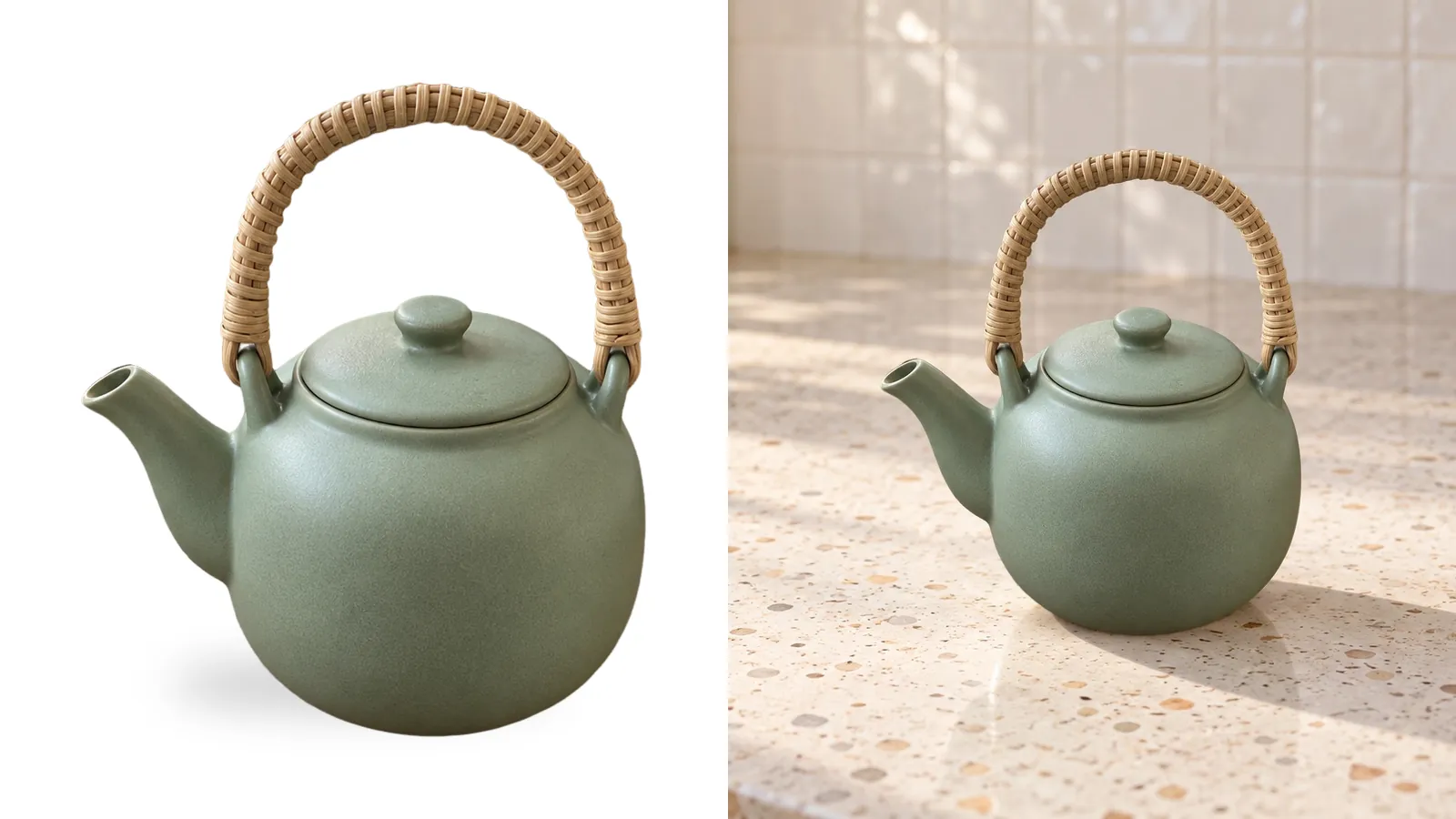
Amazon image requirements start with the main image. It needs a pure white background (RGB 255, 255, 255), the whole product in frame, and the product filling 85% of the image. Each file needs at least 500 pixels on its longest side, and 1,000 or more turns on zoom. Below you'll find the rules we could confirm on Amazon's own pages, what to put in the rest of your gallery, and a checklist to run before you upload.
We read Amazon's product image guide and its technical image requirements on October 5, 2026, for the US marketplace. Many guides mix Amazon's rules with their own advice. We keep the two apart, and we leave out anything we couldn't find on Amazon's pages.
What are Amazon's main image requirements?
The main image is the photo shoppers see in search results. Amazon is strictest here. Every listing needs at least one main image that follows these rules:
- Pure white background, RGB 255, 255, 255. Not off-white, not light grey.
- The product fills 85% of the image.
- The whole product is in frame. Nothing is cropped off at the edges.
- One product, shown once. Accessories that come in the box can appear too.
- No props or accessories that aren't included. A teacup next to a teapot you sell alone breaks this rule.
- No packaging, unless the packaging is part of what the buyer is paying for.
- No lifestyle scene, except in the few categories that allow one.
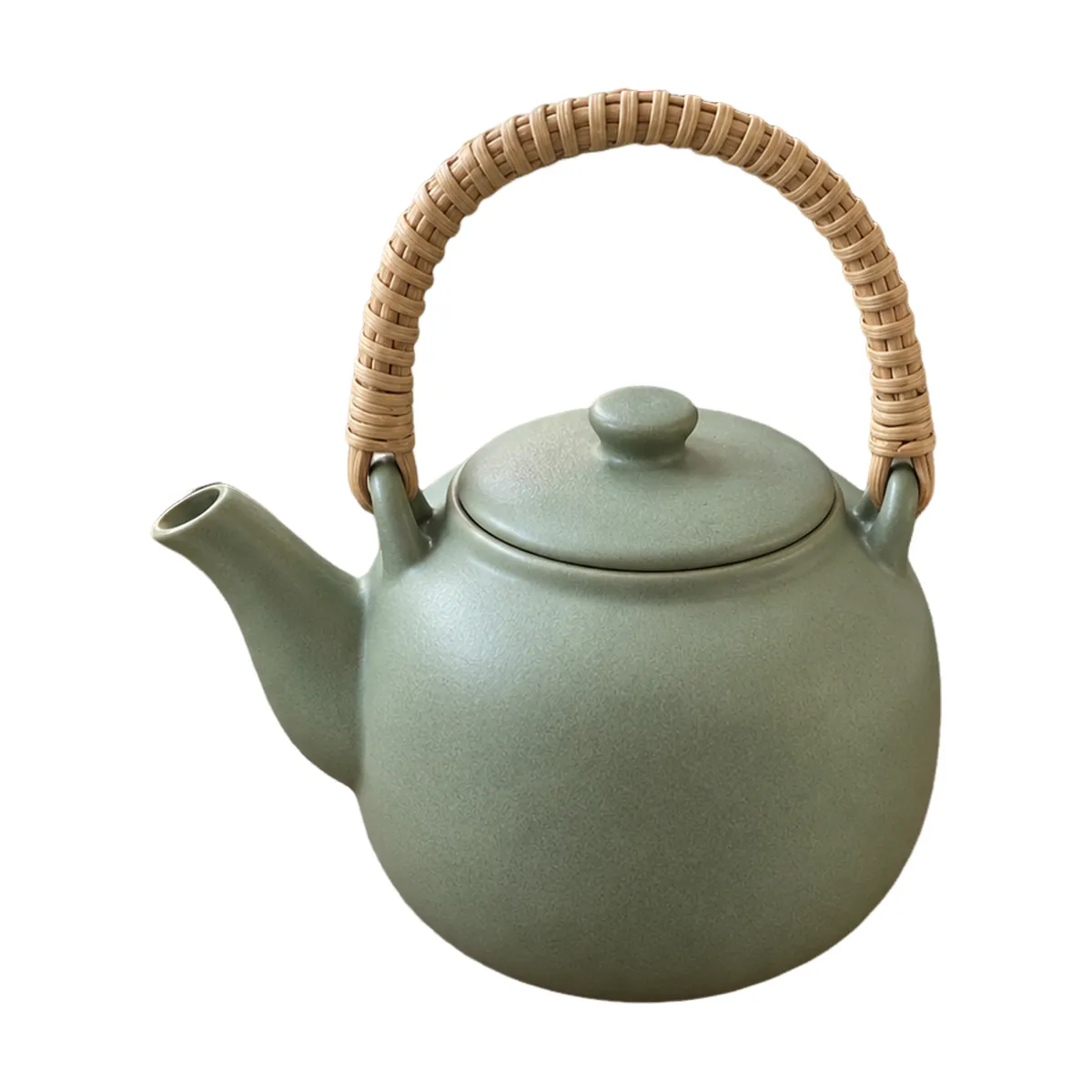 Passes
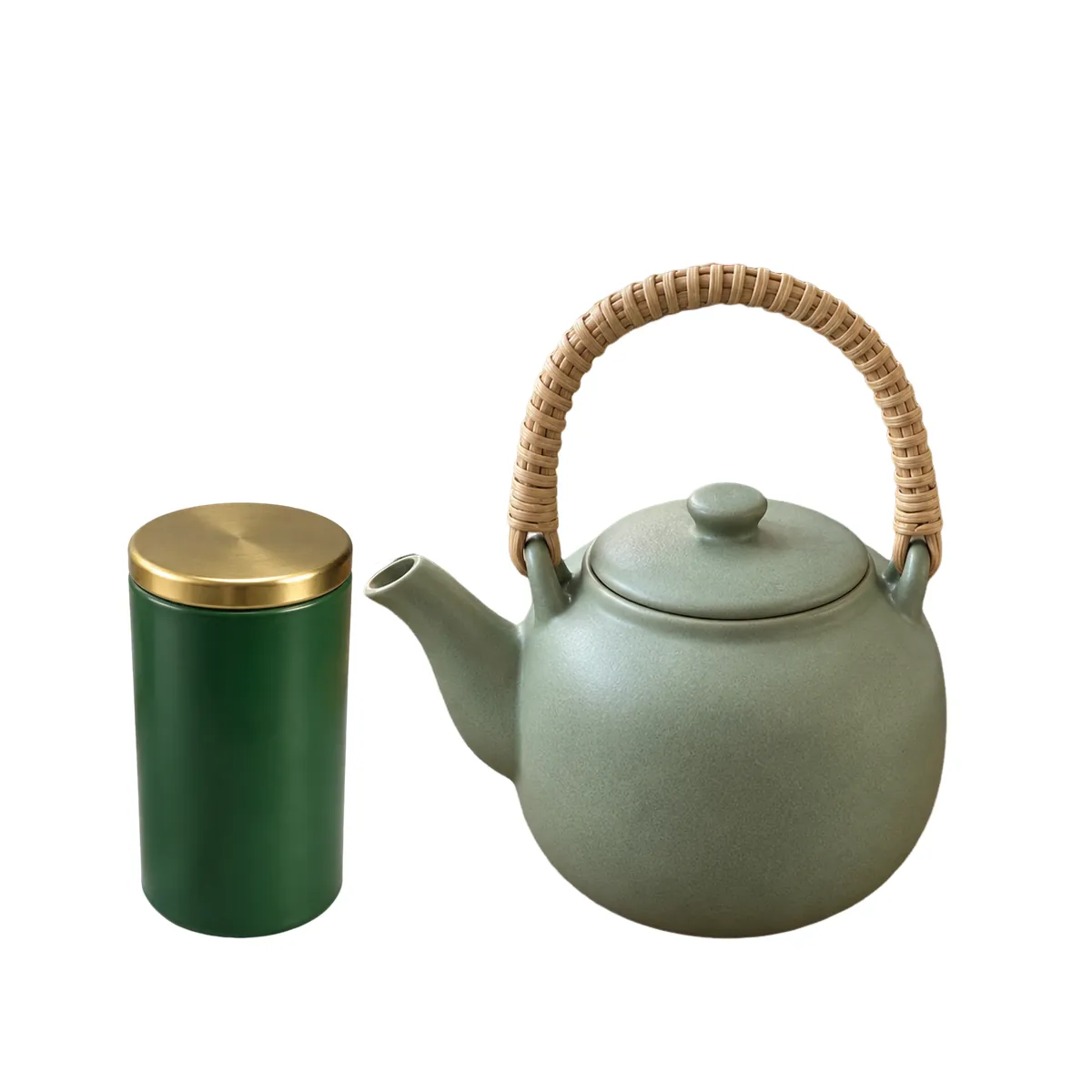 Extra item
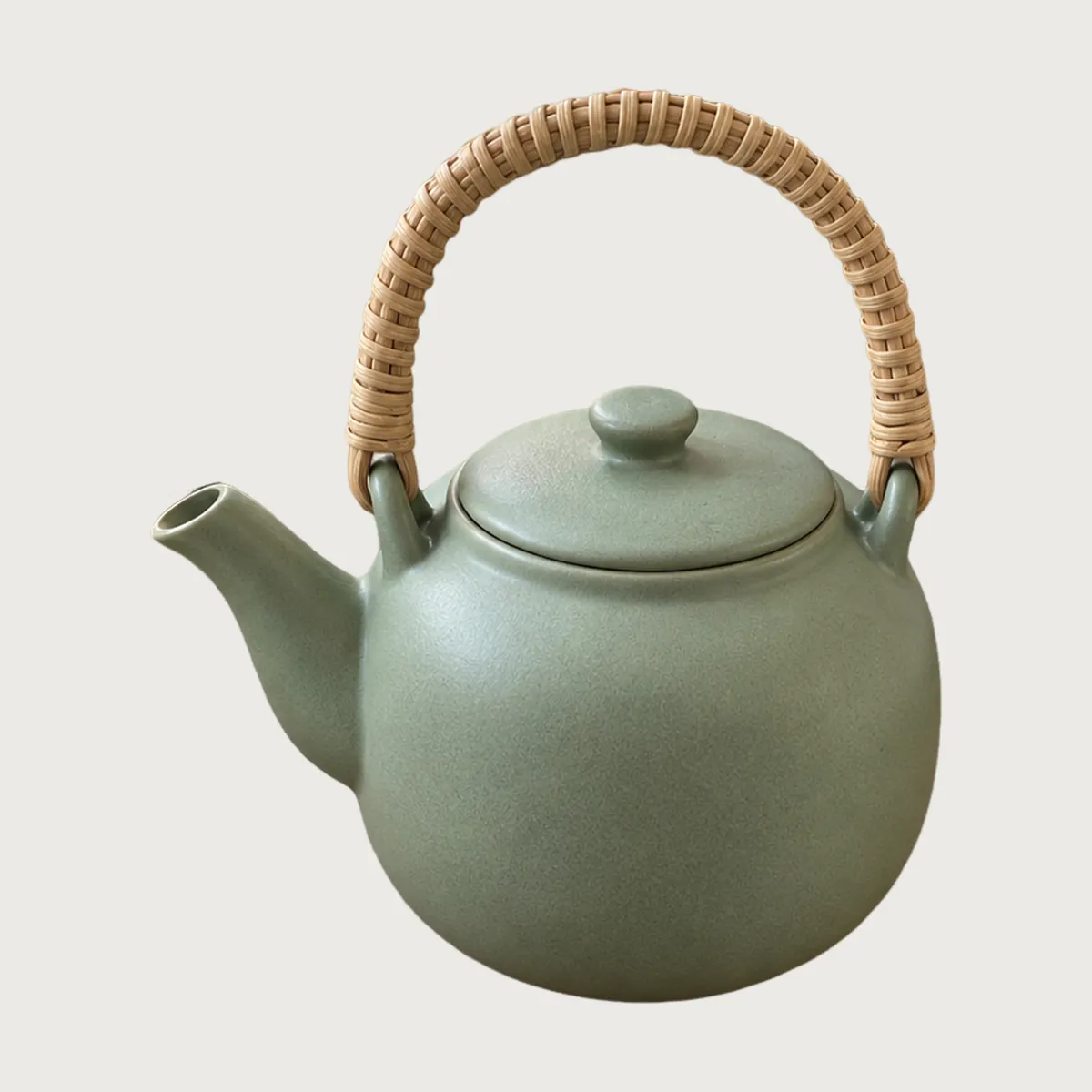 Off-white
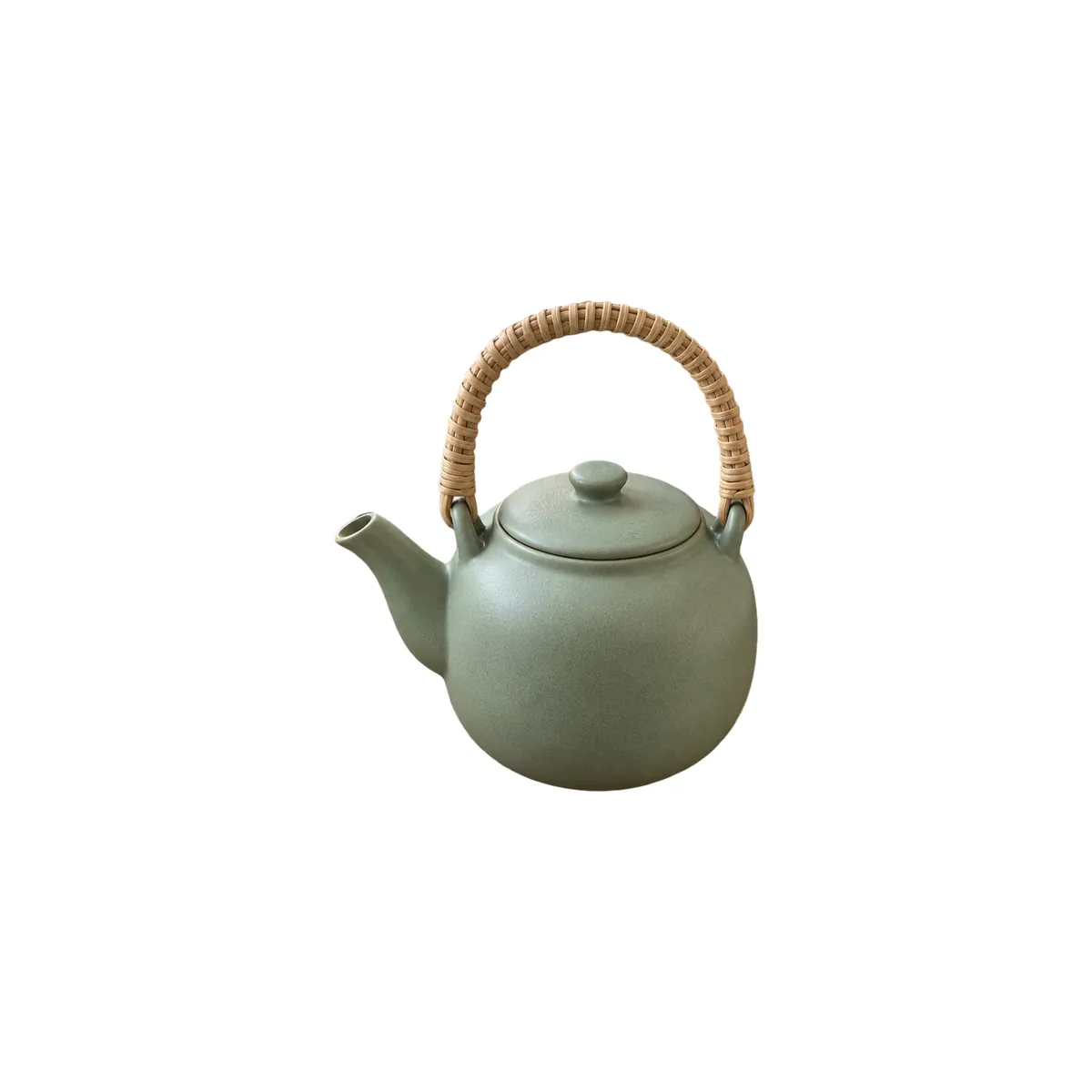 Too small
These rules apply to every image in your listing, main or not:
- No customer reviews, star ratings or claims like "free shipping".
- No Amazon logos or badges, such as Amazon's Choice or Best Seller.
- No nudity.
You'll read in many guides that the main image can't have any text, logo or watermark. We didn't find that line in the main image section of Amazon's guide when we checked. Some category style guides may say it, so check yours. Either way, a watermark on a main image looks like a stock photo, so leave it off.
How do you measure 85% and check for pure white?
Amazon says to "show the product as 85% of the image" but doesn't say how to measure it. A practical check is to compare the product's longest side with the frame. On a 2,000-pixel square, that side should be about 1,700 pixels.
The teapot is taller than it is wide, so its height is the side to measure.
Here is how to check both numbers before you upload:
- Fill. Open the photo in any editor and draw a selection around the product. Read its height or width, whichever is larger, and divide by the image's size on that side. You want about 0.85.
- White. Use an eyedropper on the background near each corner and next to the product. GIMP, Photopea and the Digital Color Meter app on a Mac all show RGB values. Every reading should be 255, 255, 255.
If a corner reads 250 or 245, your background is off-white. A white sheet in a photo is almost never true white. Cut the product out and place it on a white canvas instead.
What size, format and file name does Amazon want?
This table puts Amazon's technical rules next to the advice you'll see elsewhere. The left column is what Amazon's pages said on October 5, 2026.
| Item | Amazon's rule | Common advice, not a rule |
|---|---|---|
| Size | Longest side 500 to 10,000 pixels. Under 500 won't upload. Amazon recommends 1,000 or more, which turns on zoom. | Many seller-tool blogs say 1,600 or 2,000 pixels. That's advice, not a requirement. |
| Small photos | "Do not artificially enlarge small images." | Don't upscale your way to 1,000 pixels. |
| Format | JPEG is preferred. TIFF, PNG and non-animated GIF also work. EPS, BMP, PDF and PSD don't. | |
| Resolution | At least 72 dpi | |
| Colour | RGB is preferred. CMYK isn't recommended. Greyscale only for grey or silver metal products. Don't rely on an ICC profile. | |
| Compression | Use little or no compression. Save JPEGs at the highest quality. | Amazon's page we read gave no maximum file size, so ignore any MB limit you see quoted. |
| File name | Product ID, a period, a variant code, a period, the extension. Example: B000123456.MAIN.jpg |
The file name matters most when you upload many images at once. Start with the ASIN, UPC, EAN or another product ID. Then add the variant code. MAIN is the code for the main image. Amazon marks the naming as optional for single uploads, but bulk uploads need it.
Which images go in the rest of the gallery?
Amazon asks for at least one compliant main image. It recommends adding at least six more images and one video. Those extra slots are where you answer the buyer's other questions: how big is it, what does it look like from the back, where would it go in my home?
1 Main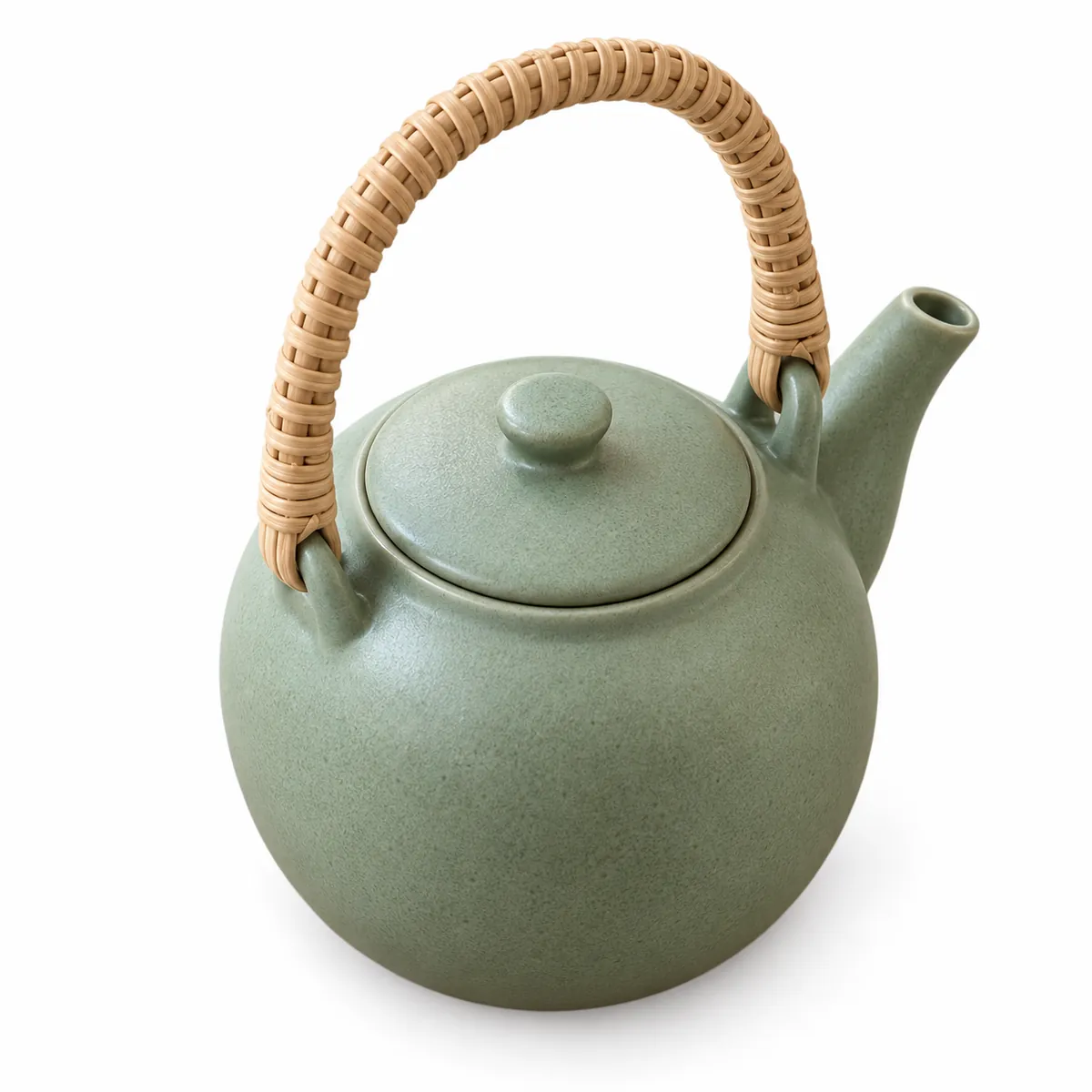 2 Angle
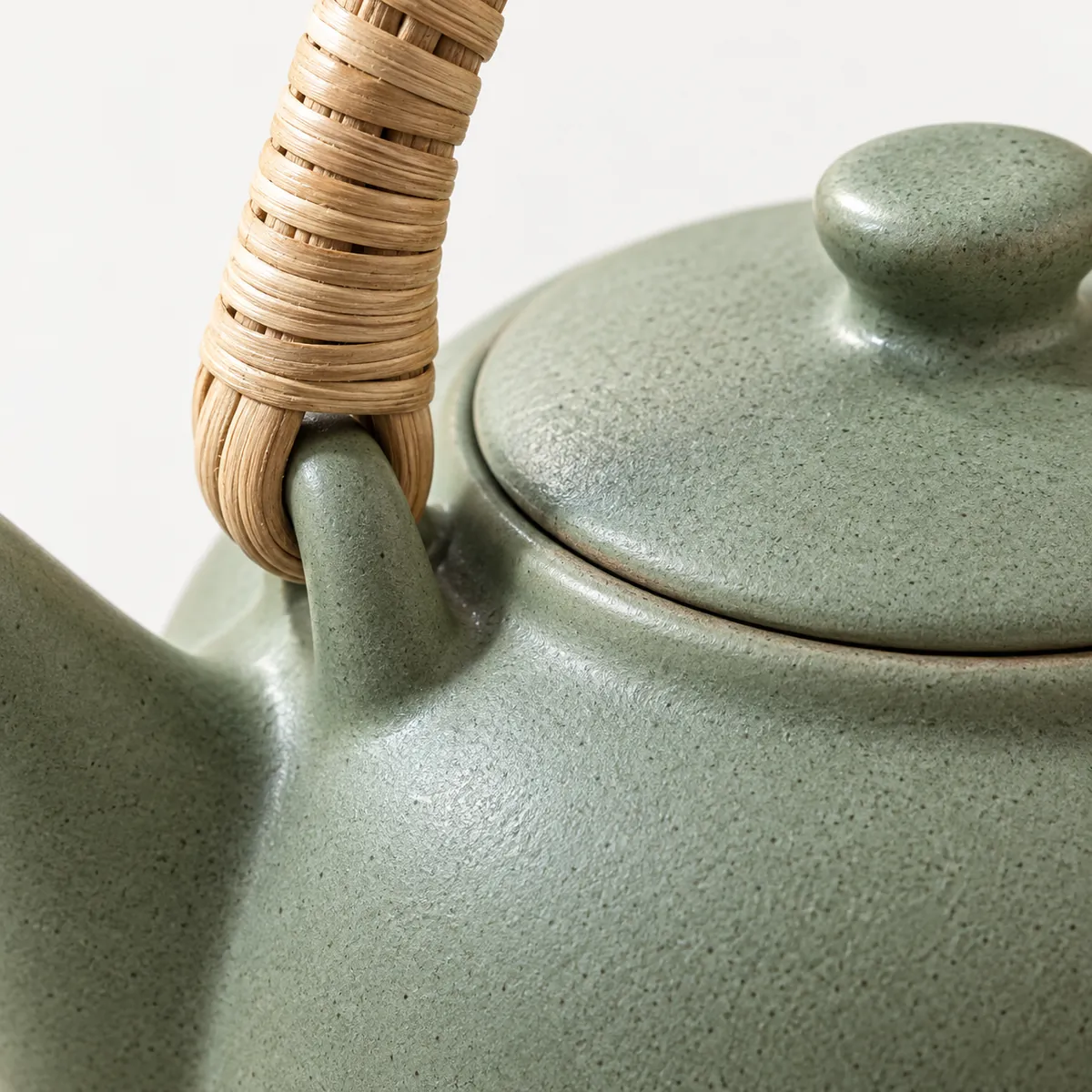 3 Detail
 4 In hand
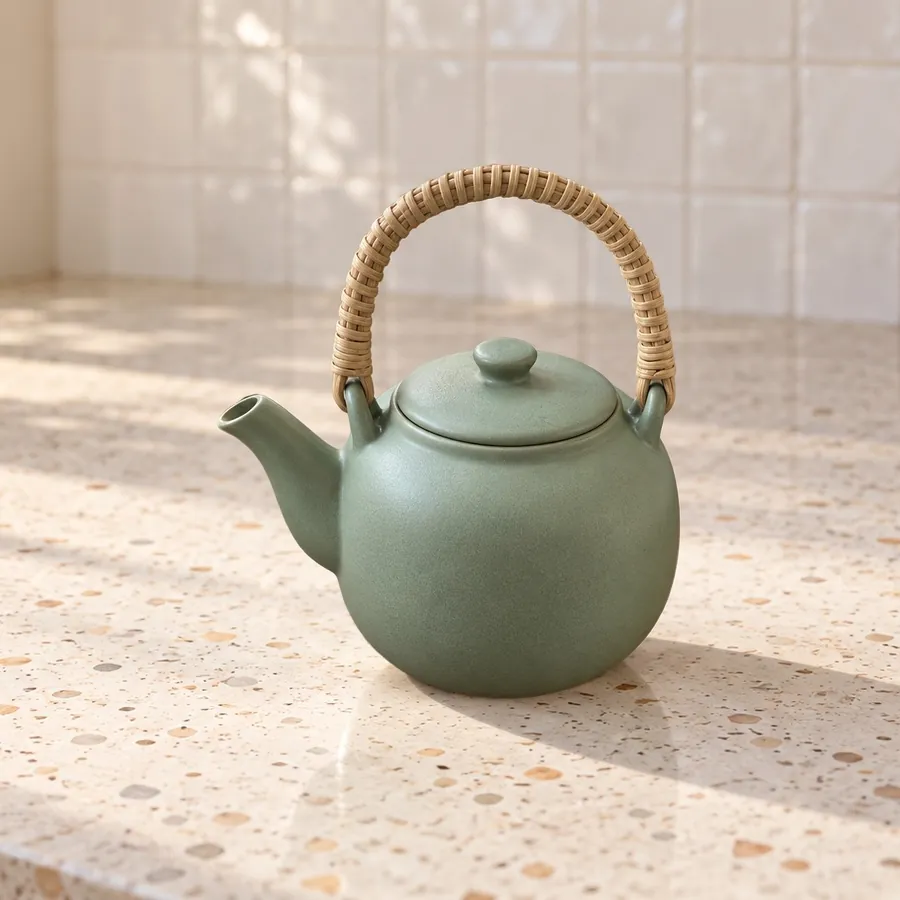 5 Lifestyle
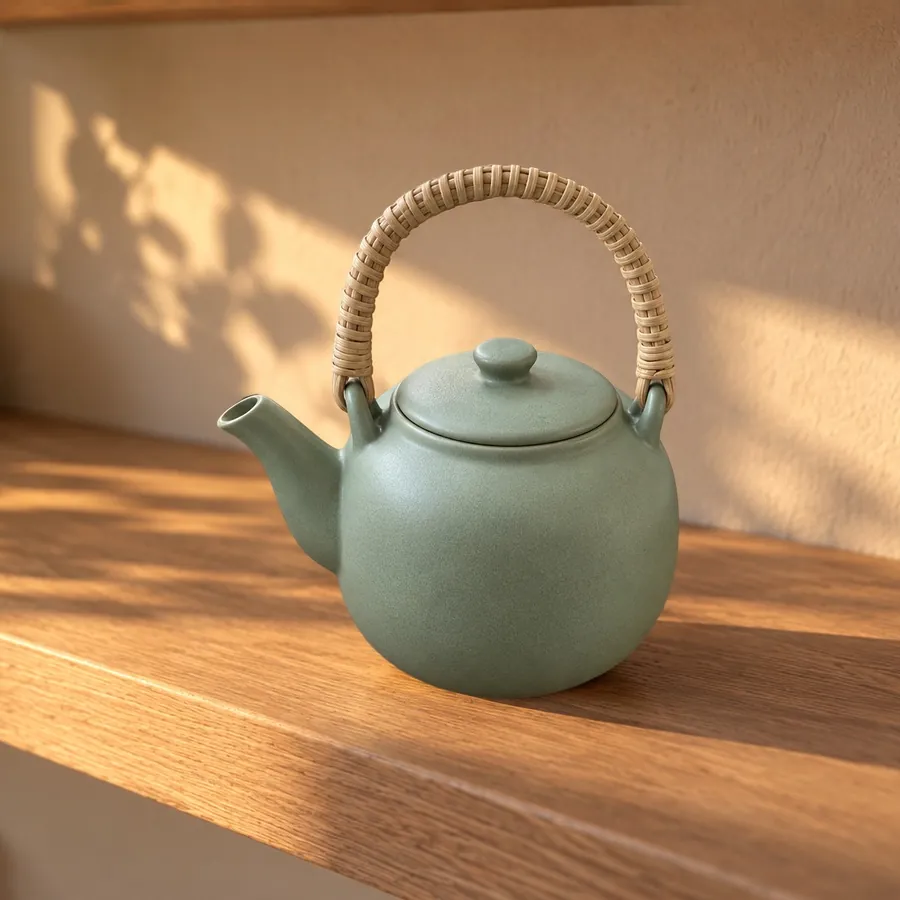 6 Lifestyle
Here's what each slot does, and when you can skip one:
- Main. The white-background photo. It has to pass the rules above.
- Angle. The back, the top or the side. Skip it only if the product looks the same from every side.
- Detail. A close-up of the material, a seam, a button or a label. This is where quality shows.
- In hand. A hand shows size better than a measurement does. Most buyers know how big a palm is.
- Lifestyle. The product in the room where it gets used. Our lifestyle product photography guide covers which scene fits your category.
- A second lifestyle or a size chart. Pick what your buyers ask about most. Read your questions and reviews to find out.
- Video. Amazon recommends one. A short clip of the product in use answers what photos can't.
Gallery images don't need a white background, and props are fine there. Keep the rules that apply to every image: no review stars, no Amazon badges, no claims like "free shipping".
Are there special rules for clothing, shoes and multipacks?
Yes. These are the category rules we found in Amazon's main image section:
| Product | Main image rule |
|---|---|
| Adult clothing | Shown on a real person, and the person must be standing |
| Clothing on mannequins | Not allowed in the main image, including clear or skin-tone mannequins and hangers |
| Shoes | One shoe, not a pair, facing left at a 45-degree angle |
| Clothing accessories and multipacks | Laid flat, no model |
| Kids' underwear and swimwear | Laid flat, no model |
If you sell clothing, read your category's style guide in Seller Central too. It can add rules on top of these.
What are Amazon's rules for AI-generated images?
Amazon now asks you to label one kind of AI image. If a photo shows a realistic person who is fully AI-generated, add the tag contains-synthetic-performer to the file's metadata. It goes in the XMP field dc:subject, which most photo editors show as Keywords. A real person whose photo was retouched with AI doesn't need the tag.
You need an IPTC metadata editor to add it. If you have the free command-line tool ExifTool, one line does it:
exiftool -XMP-dc:Subject+=contains-synthetic-performer your-photo.jpgAdd the tag last, after any cropping or resizing, because some editors drop metadata when they export. ShelfPic doesn't write this tag for you.
The second AI rule is older: "Do not artificially enlarge small images." An AI upscaler is an enlarger, and that includes ours. If your photo is under 1,000 pixels, reshoot it rather than upscale it.
Everything else is the same as for any photo. The main image has to show the real product a buyer will get. Use AI images for gallery slots, and check them against the real product first.
How do you make a compliant main image from a phone photo?
Shoot the product in good light, then replace the background with pure white. You don't need a white studio sweep.
For the background, upload the photo to the product background remover. Its default output is built for a main image:
- White background painted as #FFFFFF, which is RGB 255, 255, 255.
- A 2,000 × 2,000 pixel square, saved as a high-quality JPG.
- The product's longest side at about 84% of the frame, centred. That's within a point of Amazon's 85%.
- A soft contact shadow, switched on by default so the product doesn't float. Switch it off if you want every background pixel at 255.
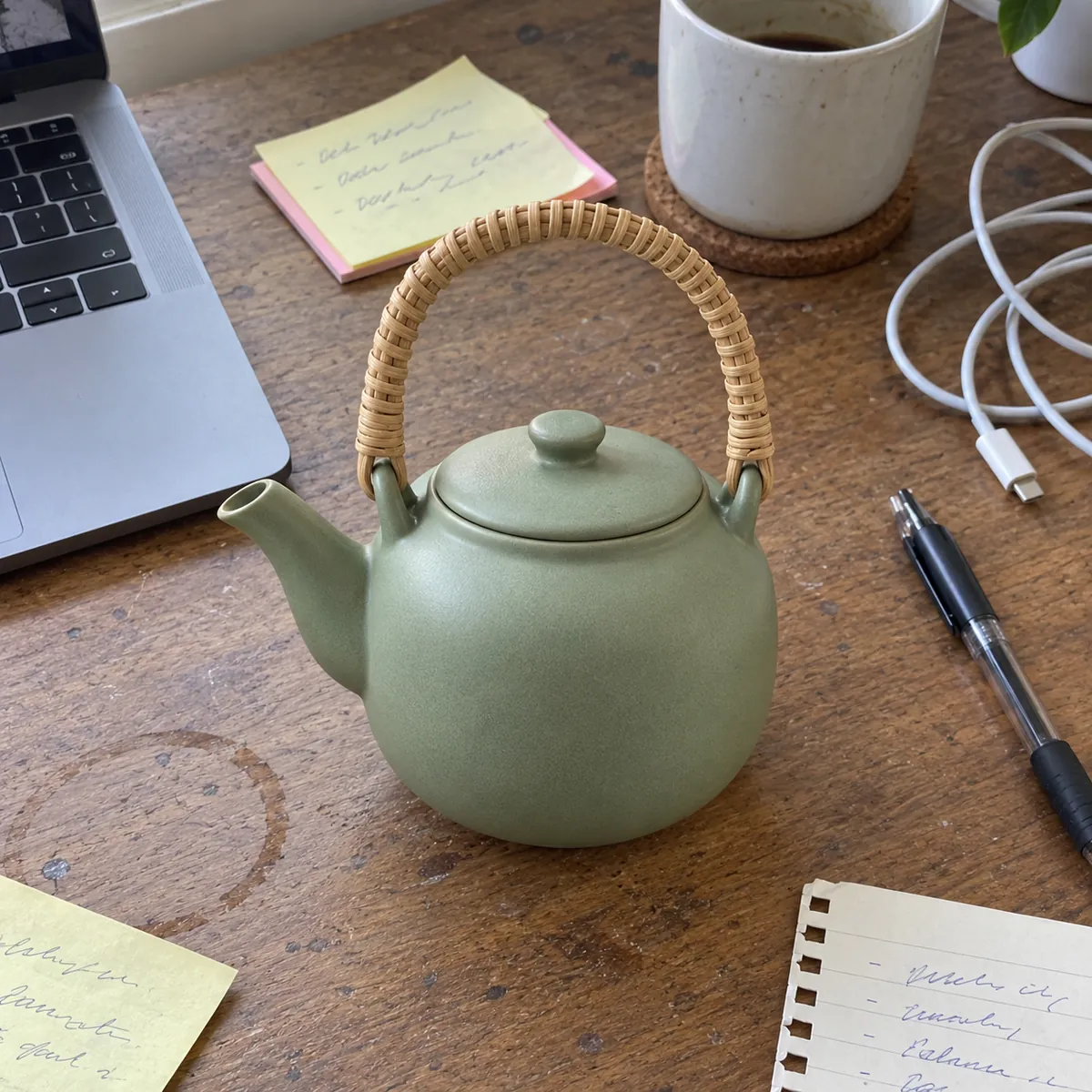 Snapshot
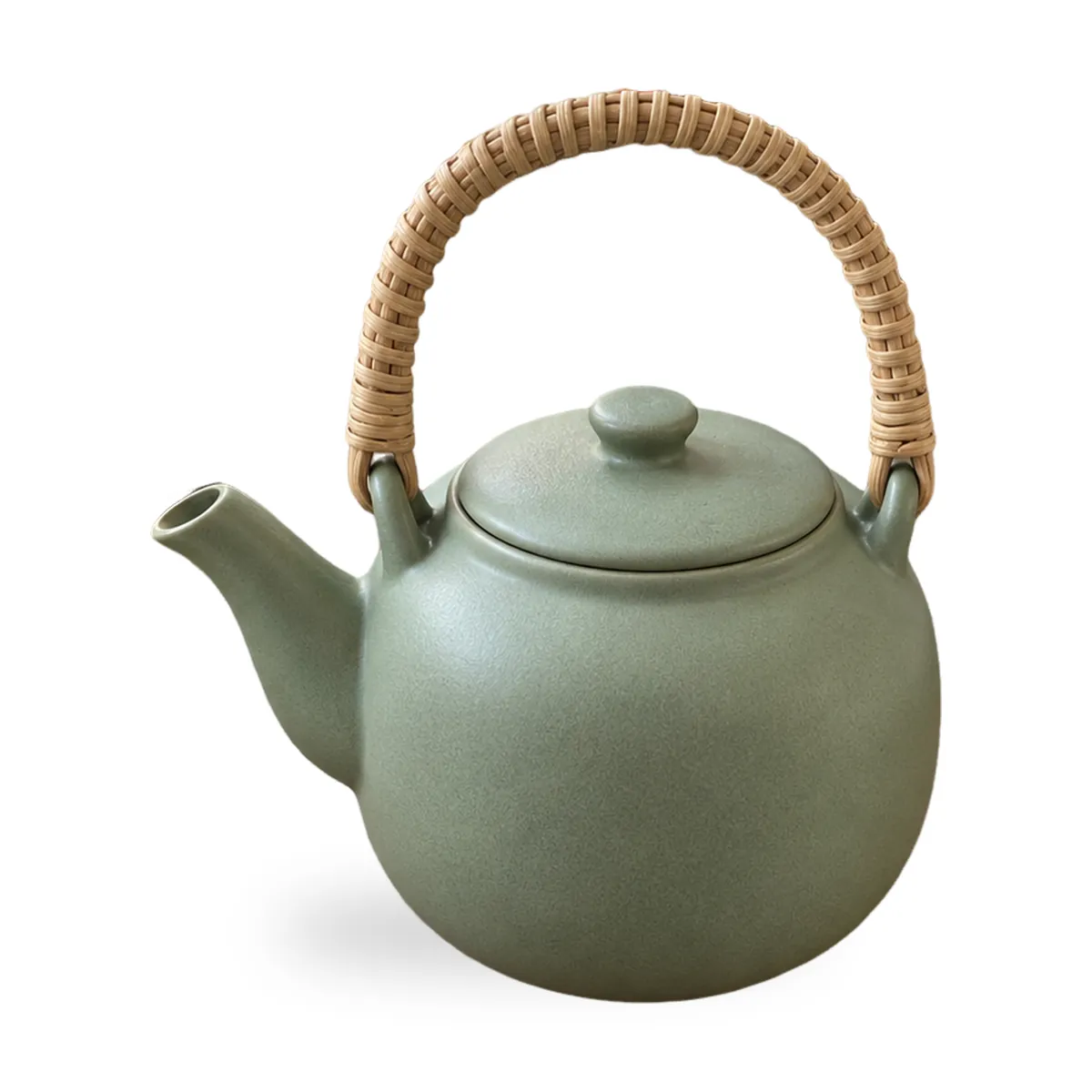 White
White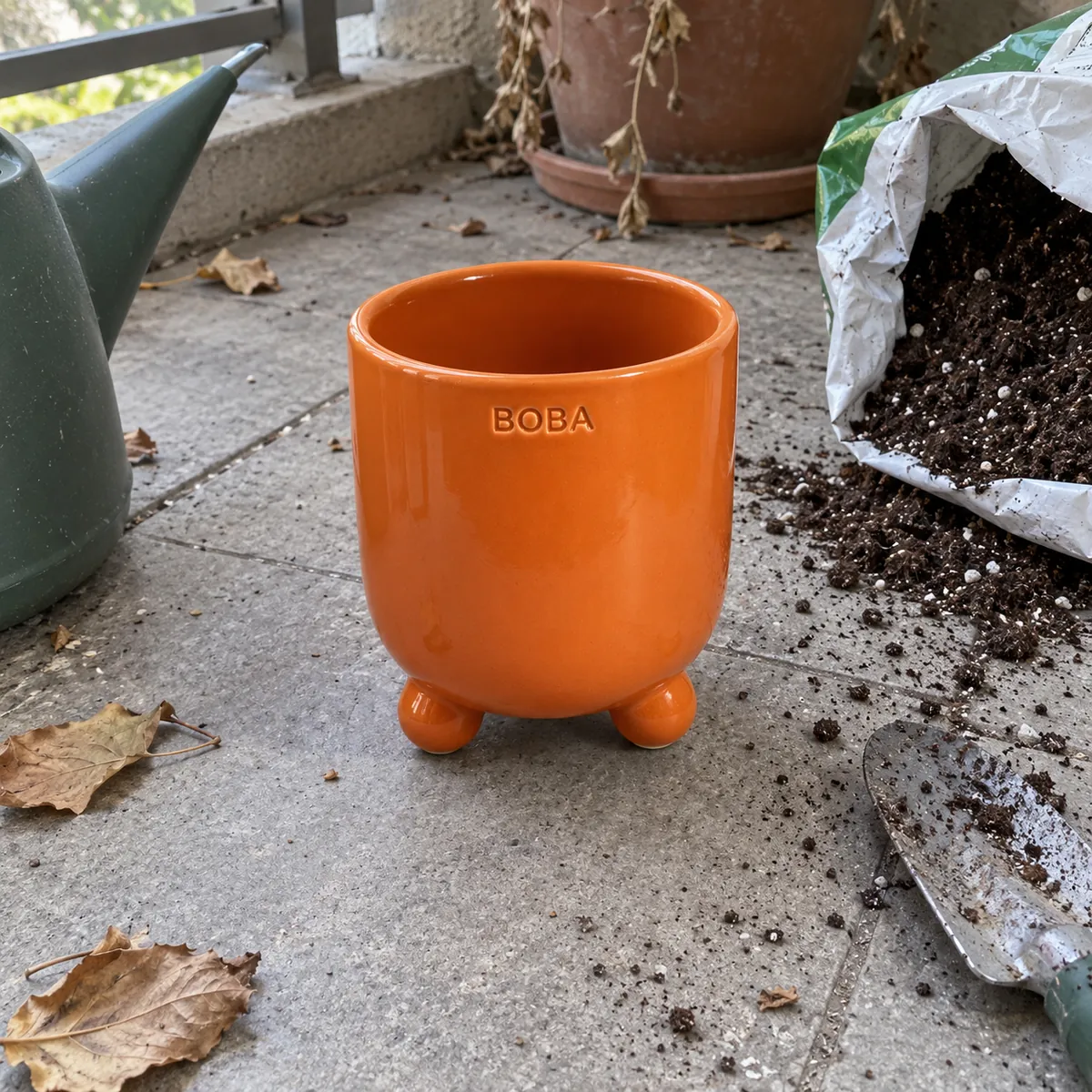 Snapshot
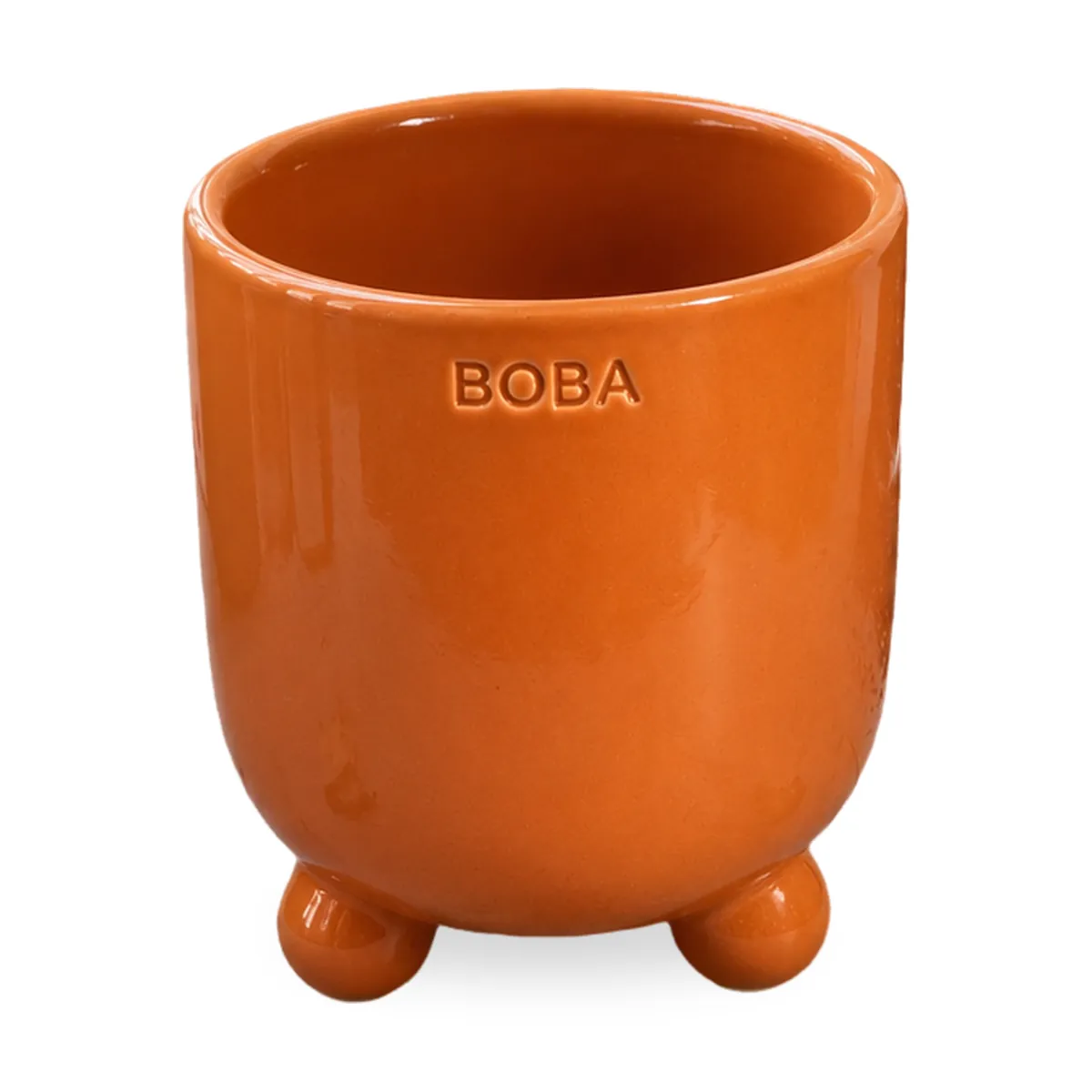 White
WhiteA few honest limits:
- The square always saves at 2,000 pixels. If your photo is small, the product gets stretched to fit. The tool warns you when a photo is under 1,000 pixels on a side. Reshoot instead of stretching.
- Check the edges. Clear glass, a white product on white and blurry photos can leave rough edges. Zoom in before you upload.
- Free downloads carry a ShelfPic watermark. Use them to test, not on a live listing.
A background removal costs 10 credits, and new accounts get 100 free credits. Paid plans can process photos in batches, up to 50 at once on Max. If you only have one product and a big window, a white foam board and a free editor can get you to the same place. Our white background product photos guide covers white backgrounds in more detail.
For the gallery, the AI product photo generator puts your product into lifestyle scenes. It has 150 scene templates, and each photo costs 30 credits. Check colour, shape and label against the real product before you use any result.
Why was my Amazon image rejected or not showing?
Start with the symptom in the first column.
| Problem | Likely cause | Fix |
|---|---|---|
| The new image isn't showing yet | Amazon can take up to 24 hours to show an upload | Wait a day before you upload again |
| The listing dropped out of search | No compliant main image | Replace the main image first, then check the rest |
| The upload is refused | Under 500 pixels, or a format like PSD or PDF | Save as a JPEG at least 1,000 pixels on the longest side |
| Zoom doesn't work | The image is under 1,000 pixels | Reshoot or export at a larger size from the original |
| The background reads 250, not 255 | Shot on a white sheet, or an editor filter shifted it | Cut the product out and place it on a true white canvas |
| The image looks different on Amazon | Amazon may change submitted images, or a colour profile was ignored | Save in RGB without relying on an ICC profile |
Amazon image checklist
Run every main image through this list before you upload. "Rule" means we found it on Amazon's pages on October 5, 2026. "Advice" is ours.
| Check | Rule or advice | How to check |
|---|---|---|
| Background is RGB 255, 255, 255 | Rule | Eyedropper on all four corners |
| Product fills about 85% of the frame | Rule | Longest side divided by frame size |
| Whole product in frame, nothing cropped | Rule | Look at all four edges |
| One product, no props that aren't included | Rule | Everything in frame ships in the box |
| No packaging unless it's a selling point | Rule | Box removed |
| Longest side at least 1,000 pixels | Rule (1,000+ turns on zoom) | Image size in any viewer |
| Not enlarged from a smaller photo | Rule | Check the original photo's size |
| JPEG, TIFF, PNG or still GIF, in RGB | Rule | File type and colour mode |
| No stars, reviews, Amazon badges or shipping claims | Rule, all images | Look at every gallery image |
| AI-generated realistic person is tagged | Rule | contains-synthetic-performer in Keywords |
File named like B000123456.MAIN.jpg | Rule for bulk uploads | File name |
| No watermark | Advice | Paid-plan or your own export |
| Six gallery images and one video | Amazon's recommendation | Count the slots |
FAQ
What size should Amazon product images be?
At least 500 pixels on the longest side, and at most 10,000. Amazon recommends 1,000 pixels or more, which turns on zoom. The 1,600 and 2,000 pixel figures you'll see are advice from other sites, not Amazon's rule.
Does the Amazon main image have to be pure white?
Yes. Amazon asks for RGB 255, 255, 255. Off-white or light grey doesn't count. Check the corners with an eyedropper before you upload.
How many images does an Amazon listing need?
Amazon requires at least one main image. It recommends at least six more and one video. We didn't find a maximum on the pages we checked, so we don't quote one.
Can I use AI images on Amazon?
Yes, with two rules. Tag any fully AI-generated realistic person with contains-synthetic-performer. And don't use AI to enlarge a small photo. Every image should still show exactly the product a buyer will receive.
Can I upscale a small photo to reach 1,000 pixels for Amazon?
No. Amazon's guide says "Do not artificially enlarge small images." Reshoot the product, or export a larger file from your original.
Start free
Turn your next photo into a listing-ready shot.
Upload any product photo and get studio-quality visuals in seconds — no studio, no shoot day.
Try ShelfPic free